



Additional features
-
Night mode

How to transfer a phone number to another person in Uzbekistan
In Uzbekistan, you can now transfer a mobile phone number to another person online without visiting a mobile operator’s office. Both parties submit and confirm the request through my.gov.uz using MyID, and the operator processes it within 1–5 working days. Here is how the process works.
What the current owner needs to do
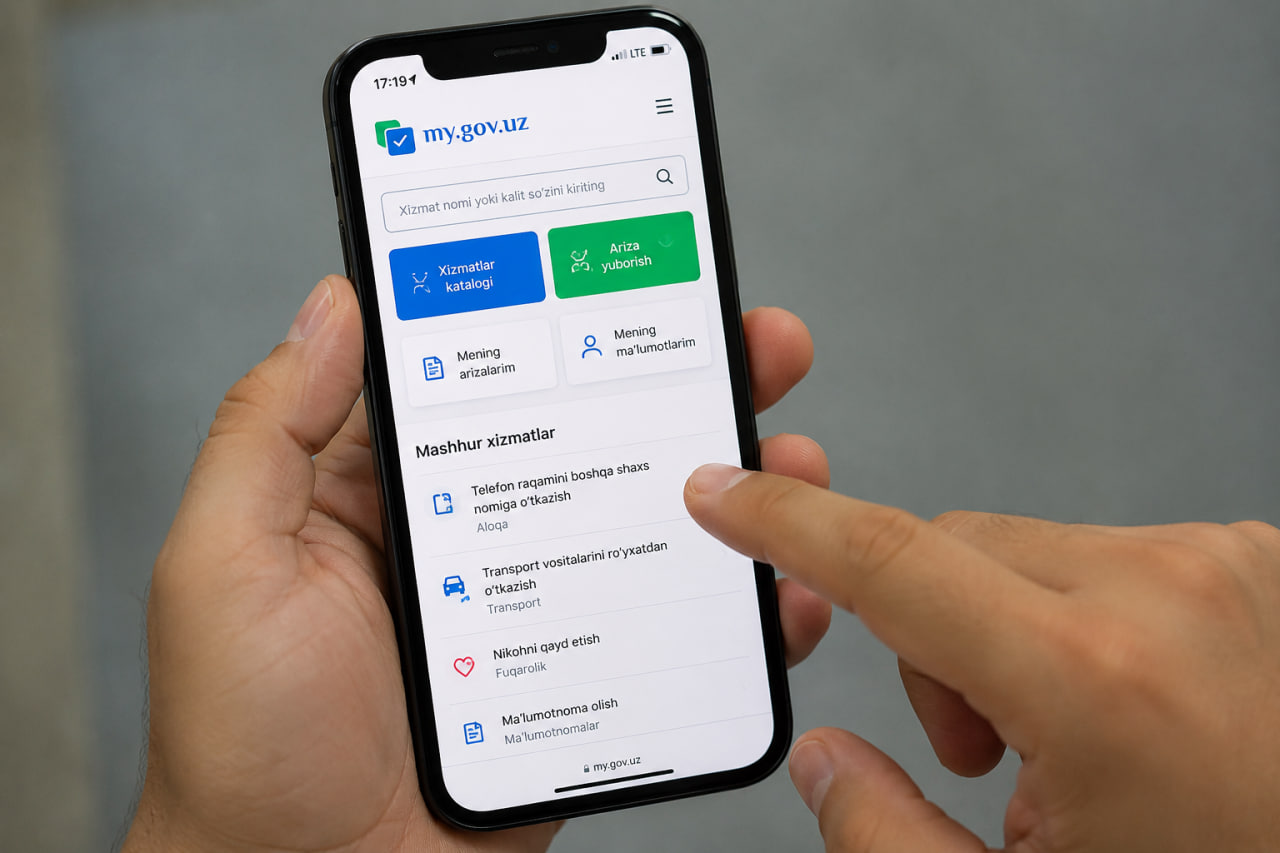
Go to my.gov.uz or open the MyGov mobile app. Log in through MyID. Search for the service called “Phone Number Re-registration” or find it in the “Communication” section.
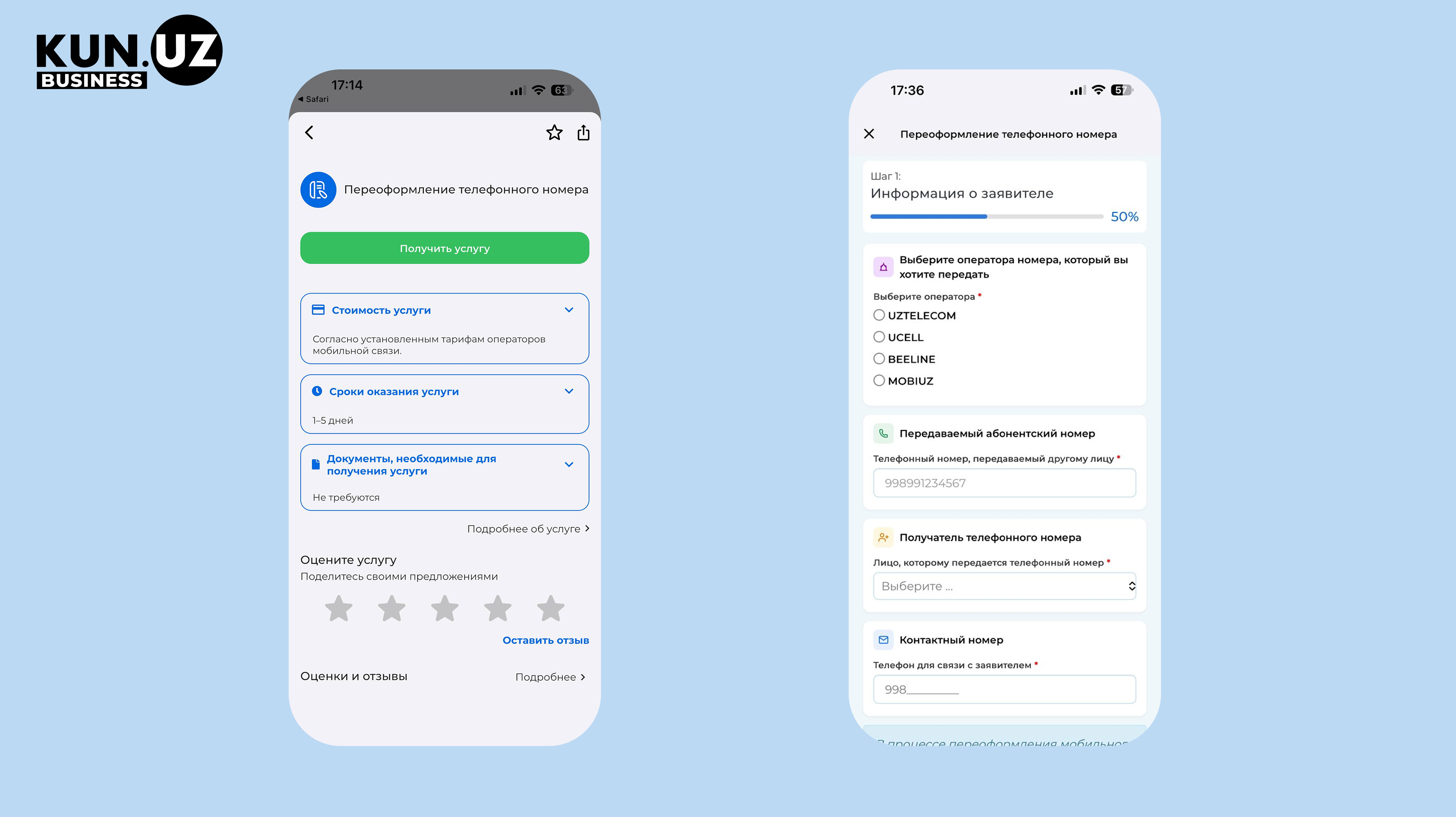
Step 1: Select the operator
Choose the mobile operator of the number you want to transfer: Ucell, Beeline, Mobiuz, Uztelecom, or Perfectum.
Step 2: Enter the phone number
Enter the phone number that will be transferred. Format: 998XXXXXXXXX.
Step 3: Enter the recipient
The system will show a list of relatives from the civil registry database. If you are transferring the number to someone who is not a relative, select “Other person” and enter the details manually.
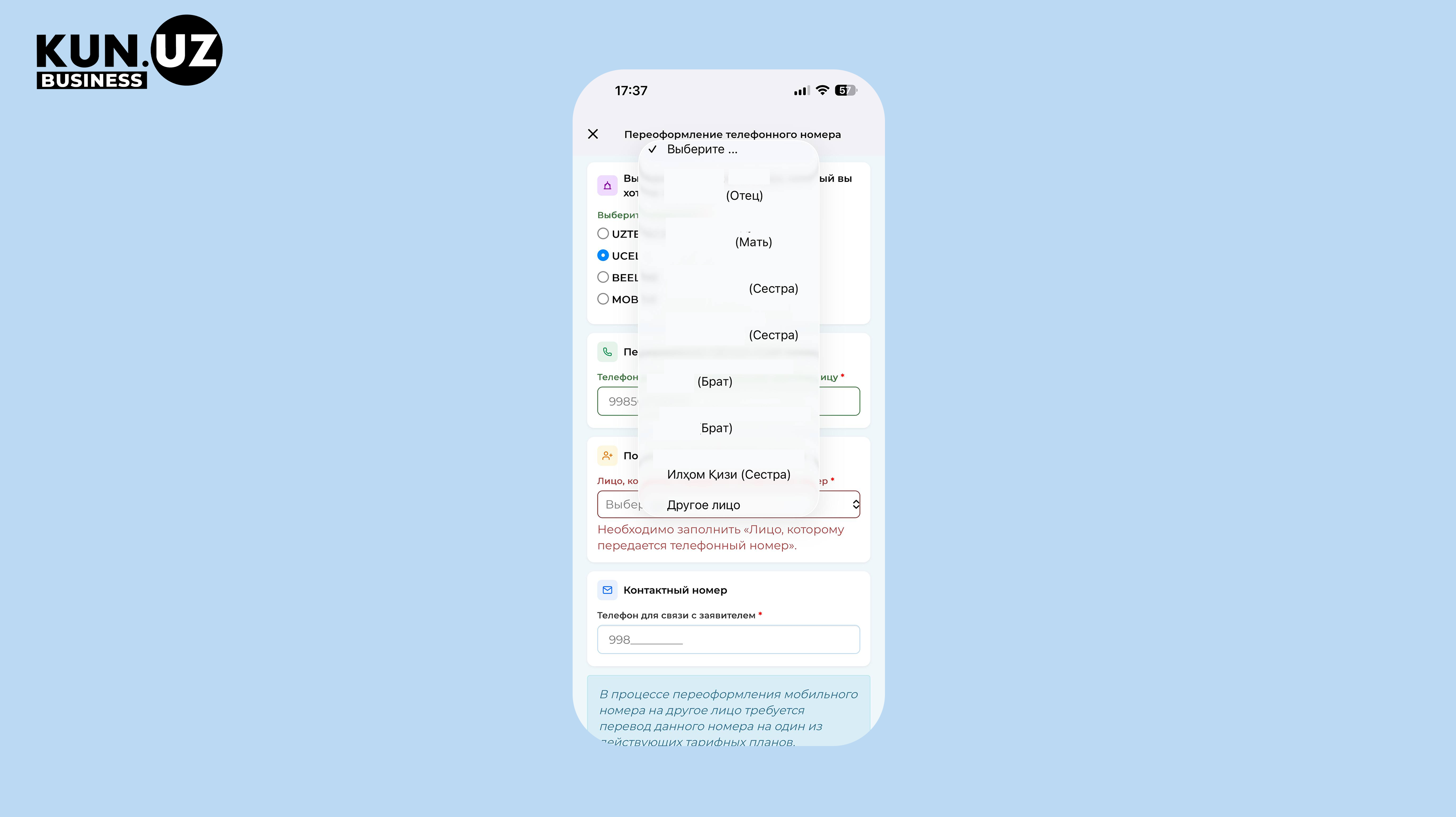
Step 4: Enter a contact number
This is your active phone number for communication with the operator during the transfer process.
Step 5: Submit the application
After filling in the form, click “Next”. The system will automatically send a request to the recipient. Your part of the process is complete — wait for confirmation from the second party.
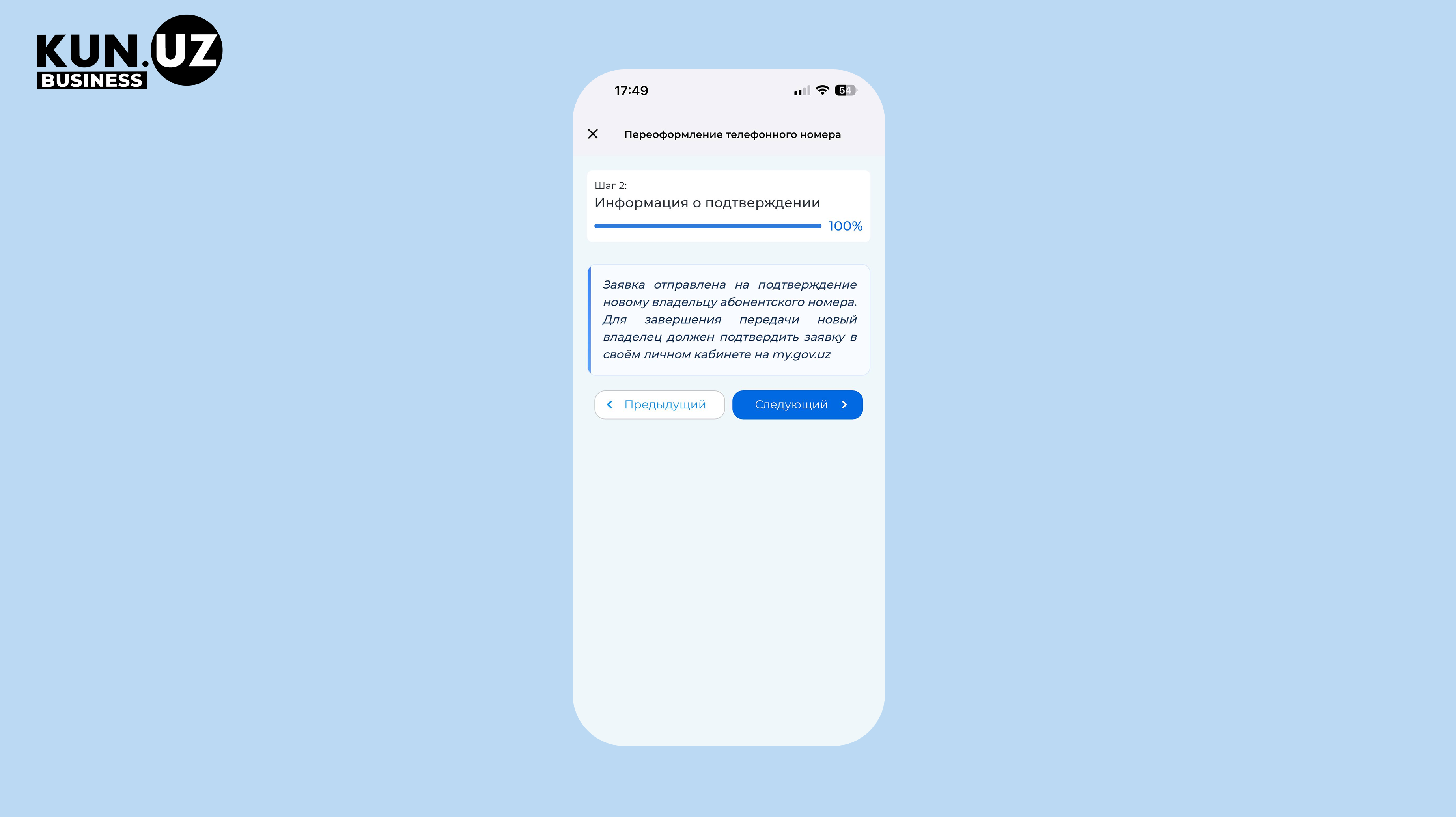
After submission, you will see the message: “The application has been sent to the new owner for confirmation.” No further action is required. Follow notifications in the app.
What the new owner needs to do
The recipient will receive a notification in the MyGov app immediately after the first party submits the request.
Step 1: Open the notification
In the “Notifications” section, find the request called “Phone number transfer”. It will contain the full name of the current owner and the phone number. Tap “Open.”
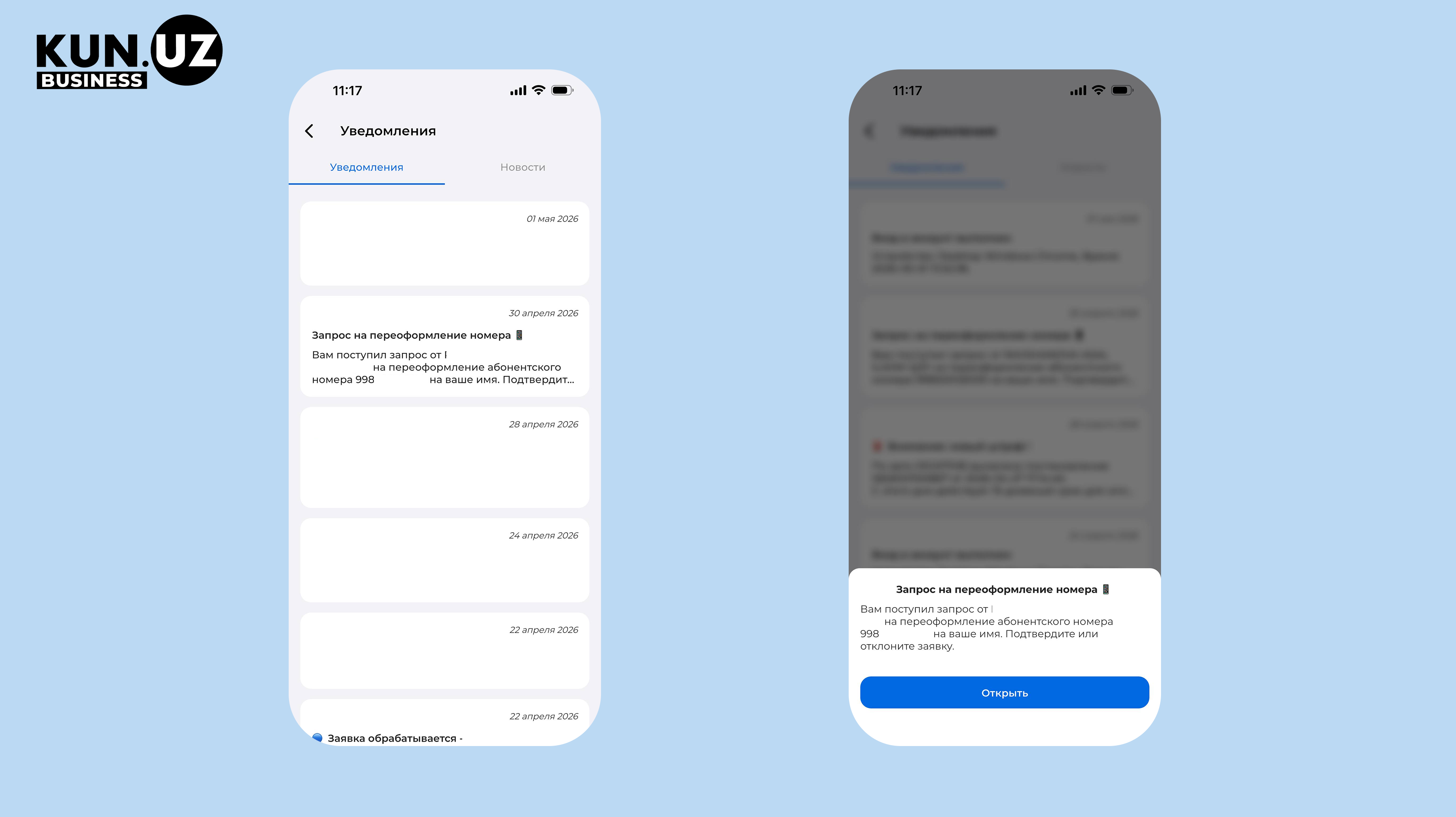
Step 2: Check the details
Make sure the phone number and owner’s name are correct. Enter your contact number for communication with the operator.
Step 3: Confirm through MyID
Tap “Confirm”. The system will open MyID verification. Complete Face ID verification.
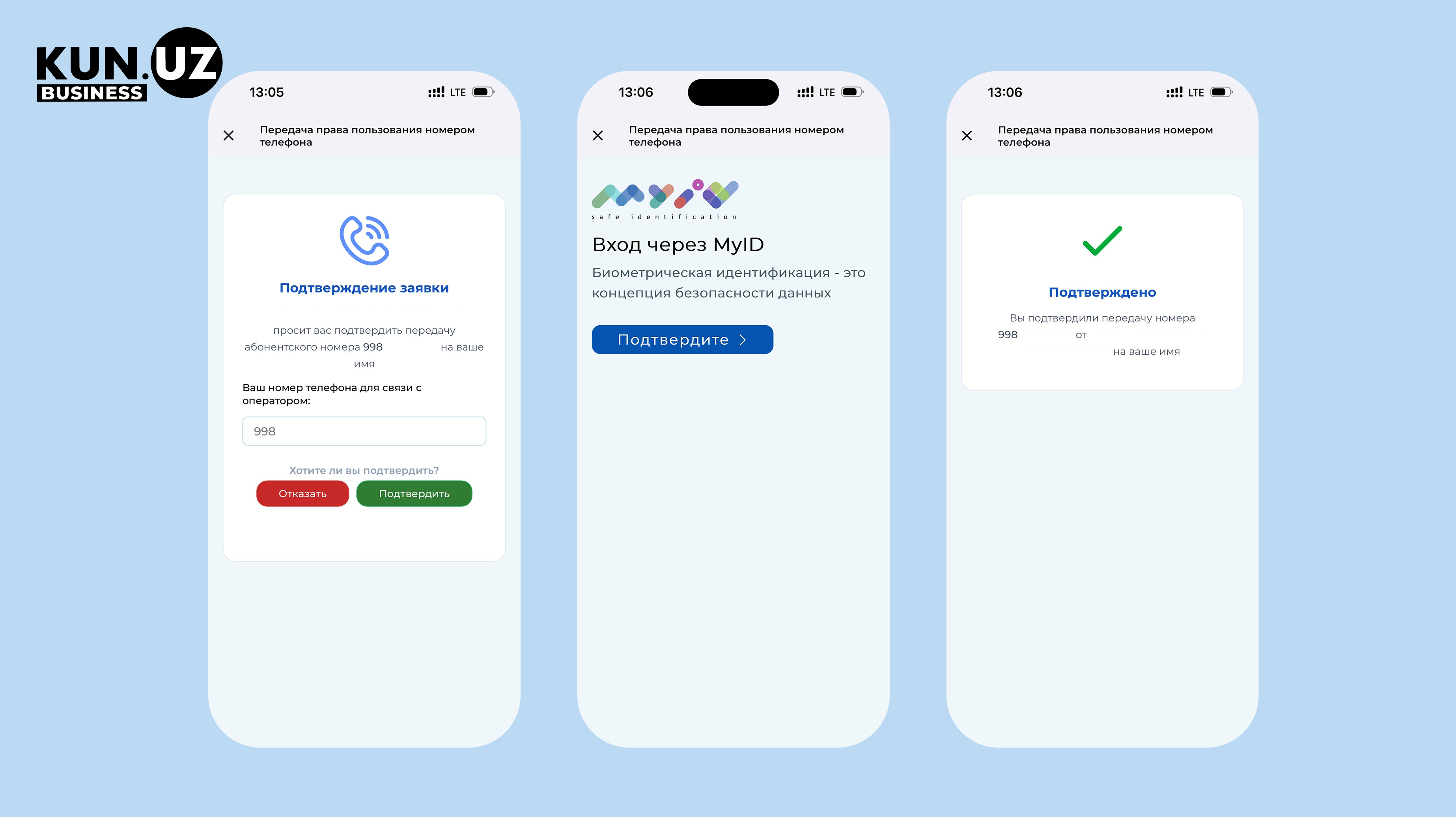
A green check mark with the status “Confirmed” will appear on the screen. The operator will process the request within 1–5 working days, after which the number will be registered in your name.
How much does it cost
The cost depends on the operator.
For Mobiuz, the service is paid by the new owner — the person receiving the number. Other operators may have different rules. Additional fees apply for premium or “golden” numbers.
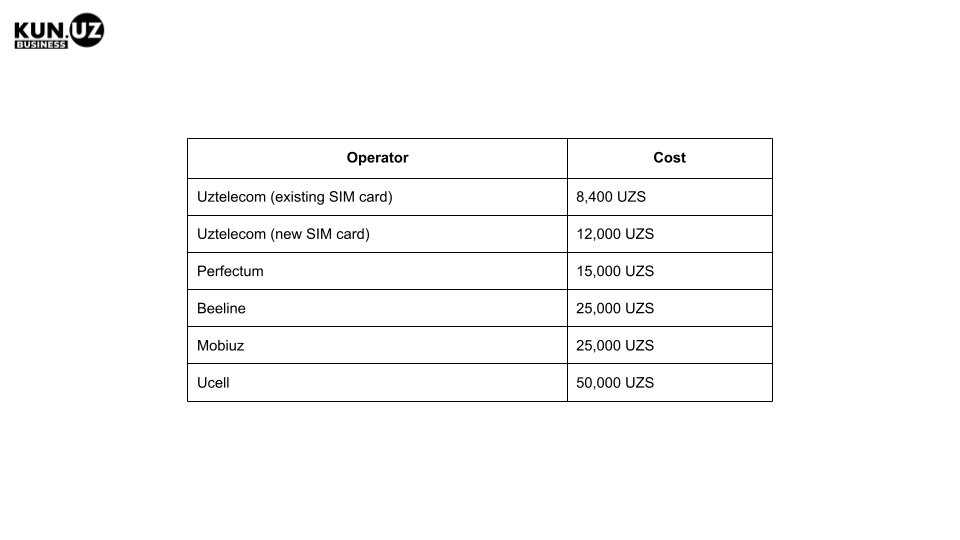
At Ucell, in addition to the base fee of 50,000 UZS, the operator charges a percentage of the number’s value: from 25% for budget categories to 5% for premium categories.
The percentage fee is not charged in two cases:
- if the number is transferred to a close relative;
- if the number has been used for more than two years and this is the first transfer.
At Mobiuz, the new owner pays the full price of the premium number without discounts or exceptions.
At Beeline, the new owner pays the full price of a premium number if it has been used for less than three years. One important restriction: numbers connected to the “Golden number with subscription fee” service cannot be transferred at all.
When the transfer will be rejected
Before applying, check the following conditions:
- The number has outstanding debt. Mobiuz rejects the request if there is debt on any number registered to either party;
- the number was transferred from another operator through MNP (relevant for Mobiuz);
- Тhe number is blocked by the operator;
- The premium number was purchased in installments and the installments are not fully paid (Ucell, Mobiuz). At Beeline, numbers connected to the “Golden number with subscription fee” service cannot be transferred at all;
- Тhe number was restored less than 90 days ago (Mobiuz);
- The recipient does not have a PINFL (Mobiuz).
If none of these restrictions apply, the entire process usually takes 10–12 minutes.