



Additional features
-
Night mode

How to refund income tax for a private kindergarten and school
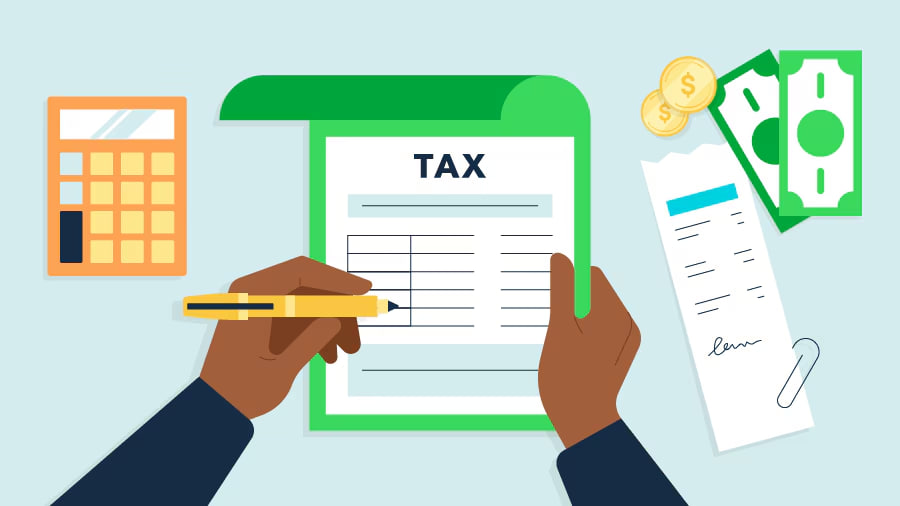
Uzbekistan has offered a tax break for children’s education for several years. It lets you get back up to 3 million sum a year from what you pay for private kindergarten and school. We talked to tax offices and accountants to figure out how it works. Here we explain who can use it, how much you can get back, how to apply, and why your request might be rejected.
How the benefit works and how much money you can get back
The benefit allows you to receive 12% of the amount paid for a child’s education. The benefit limit is up to 3 million sum for a child’s education. If a parent pays 3 million sum or more, they can receive:
- 360 000 sum per month
- 4 320 000 sum for 12 months
The benefit is calculated separately for each child by reducing income tax.
Income tax (personal income tax) — is a tax in the amount of 12% of your official income: salary, fees, rental income, and so on.
Who can get a benefit
The benefit is received by parents (adoptive parents) who pay income tax and pay for their child’s education in a private kindergarten or school. The payment receipts must show the name of the person who receives the benefit.
When the benefit will be refused:
There is no income from which the parent paid income tax
The parent worked and paid for education in different months of the year
The education was paid for from a pension and the parent has no income
The child studies abroad
The benefit can be arranged through the employer, in the accounting department, online, or at the tax office.
How to get a tax break through your accounting department
If you are employed and your employer acts as your tax agent, sign a three-party agreement before paying for the education. It should be signed by you, your employer, and the private kindergarten or school. For this you need:
- An application
- An education contract
- The child’s birth certificate
After that, every month part of the salary will be sent to pay for education, and you will receive the benefit in addition to the salary you receive in hand.
This method is not possible if:
- You pay once for a long period of the child’s education, for example, for a year
- You did not apply for the benefit before paying for the child’s education
In such cases, it is better to get the benefit online or at the tax office. Then the benefit will be calculated for the full year.
How to get the benefit online
This is done in two stages:
- You submit a declaration of annual income
- You request a refund of income tax in my3.Soliq or my.gov
A declaration of annual income — is a report that shows how much you earned over the past year and how much income tax you paid.
You can refund tax this way for the last three years.
The declaration must be submitted by April 1. Submit it earlier, at least 10 working days in advance, so that it can be checked and accepted without errors.
How to submit a declaration on my.gov
Log in to your profile.
Find the service «Sending of the declaration of total annual income».
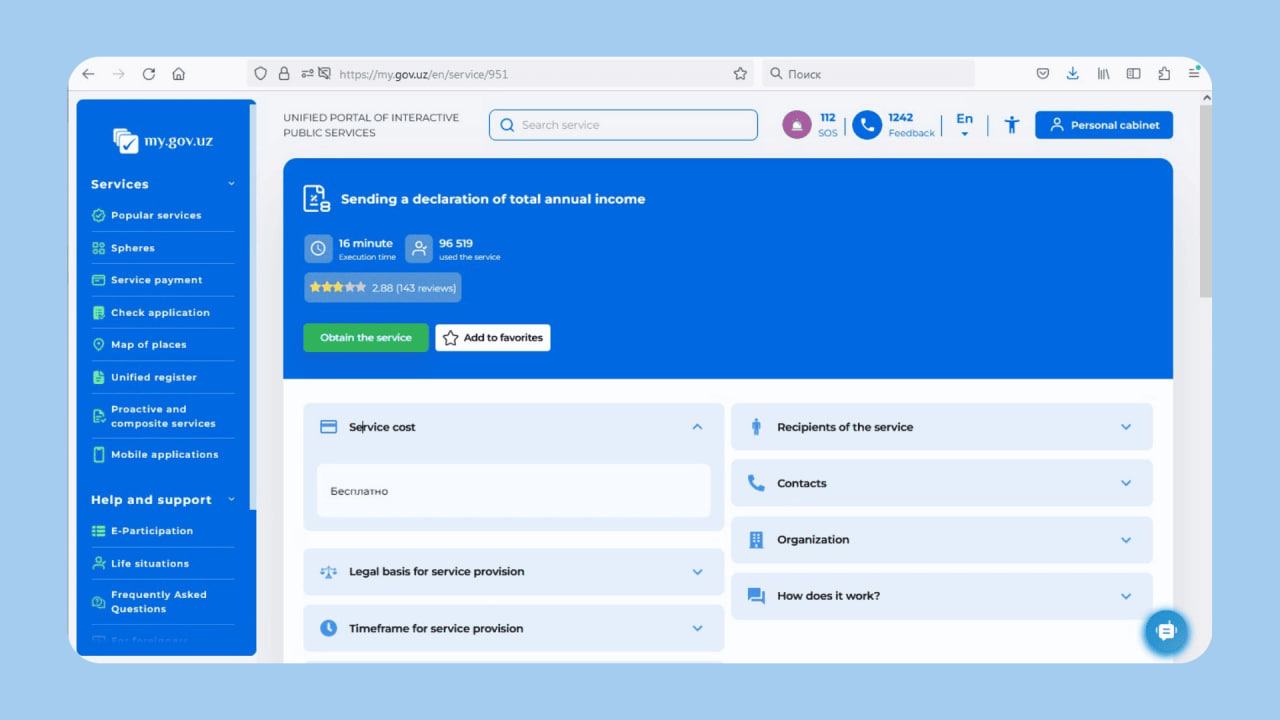
The first step and the second step are completed automatically. Click Next.
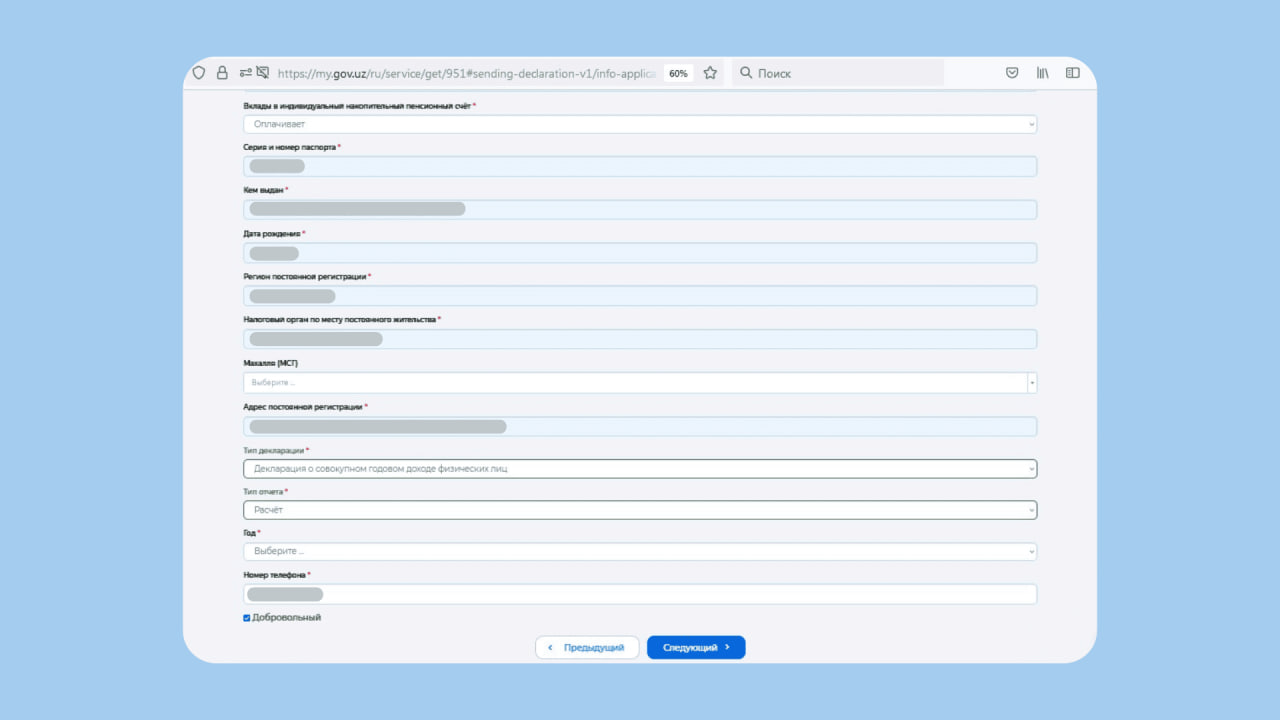
Third step. Specify your mahalla, whether you make pension contributions, the reporting year, your phone number, and the voluntary nature of the report. Declaration type: Declaration of total annual income of individuals. Report type: calculation.
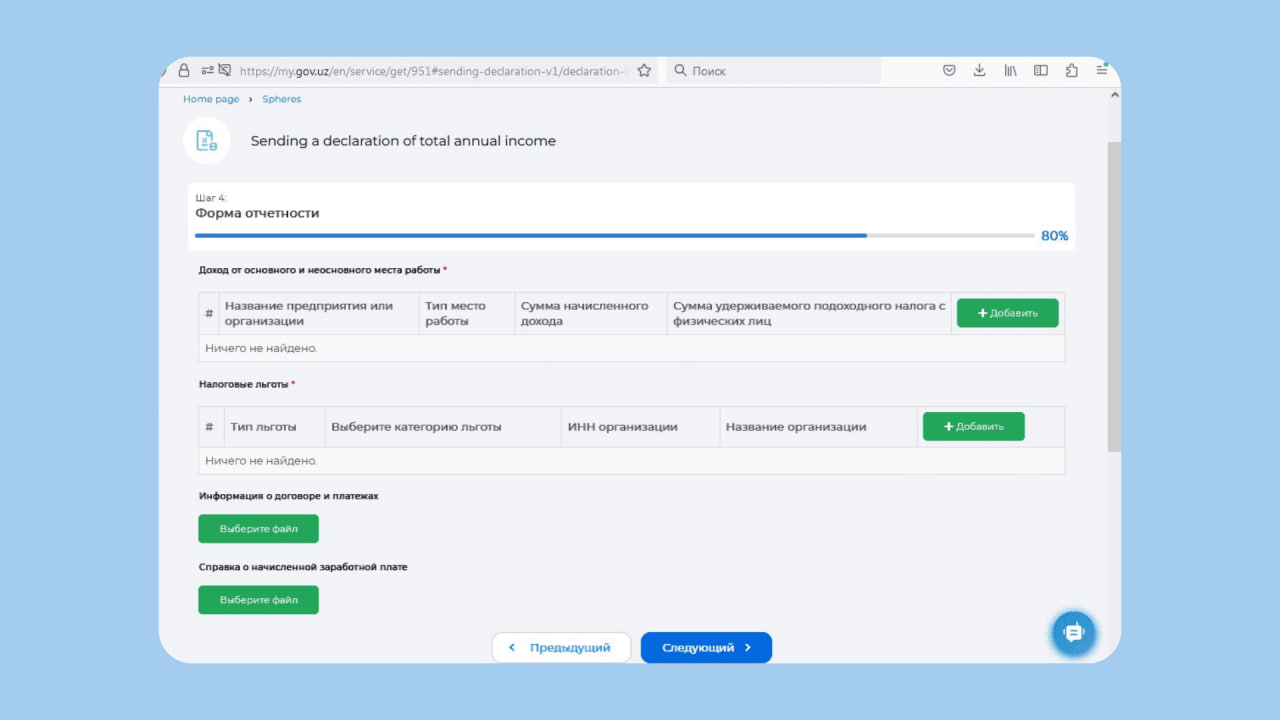
Fourth step. If the table Income from main and secondary place of work is empty, you can add the data manually. To do this, upload certificates of your salary. Also upload a copy of the child’s education contract and payment receipts.
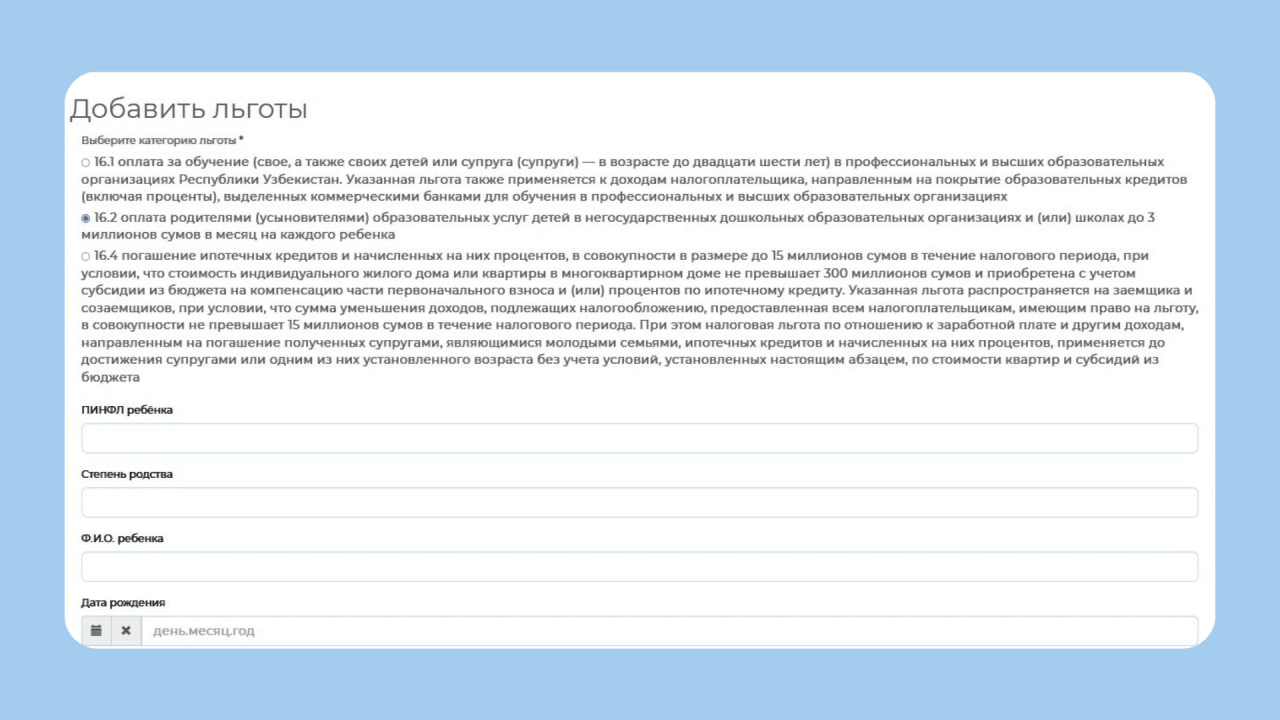
In the table Tax benefits, select 16.2 — payment by parents (adoptive parents) for children’s educational services. There, also specify the child’s details, where they study, and the contract details.
How to request the benefit on my.gov
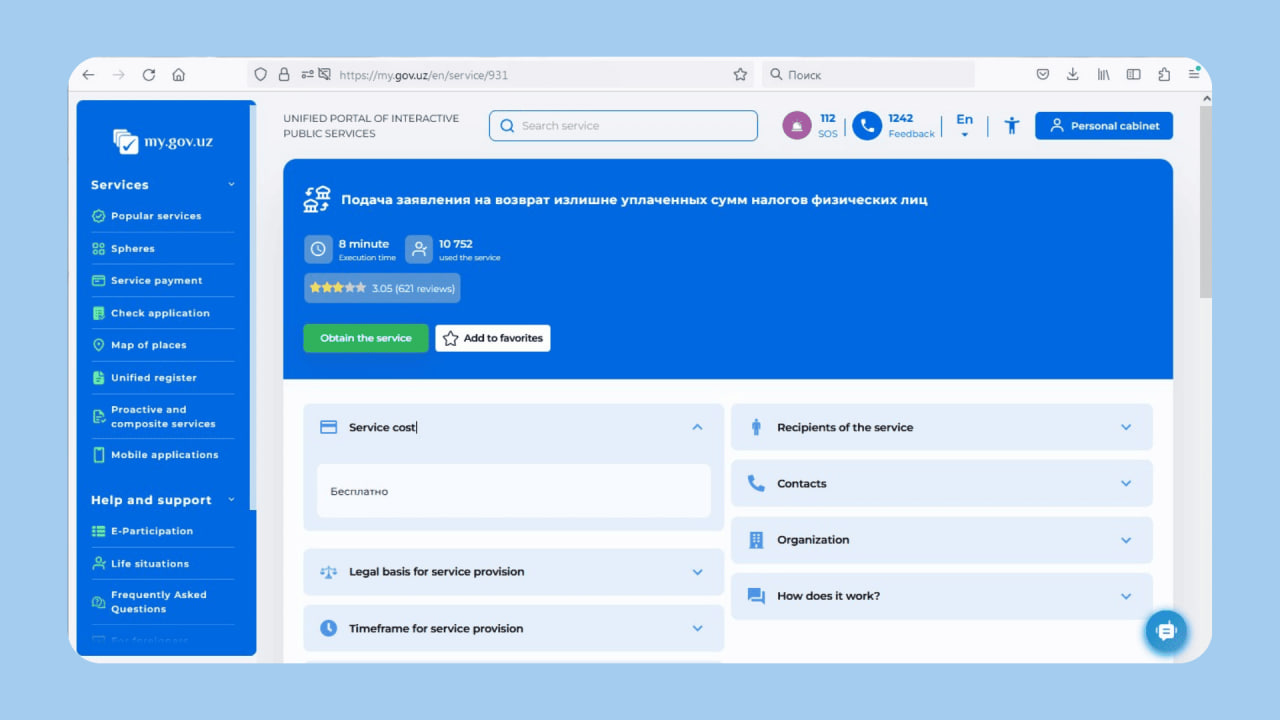
Request a benefit with a service called «Подача заявления на возврат излишне уплаченных сумм налогов физических лиц».
How to submit a declaration in Soliq
Detailed instructions for filling out the annual income declaration are available in a video guide.
The declaration can be filled out and submitted on the my3.soliq portal. To log in, a digital signature is required. Log in to your profile, open Services for individuals, and select «Declaration of total annual income of individuals».
Stage 1 Enter
- Type of declaration — total annual declaration
- Report type — report
- INPS — whether you make contributions to your pension account (тўлайди — yes, тўламайди — no)
- Your phone number
- Reporting year
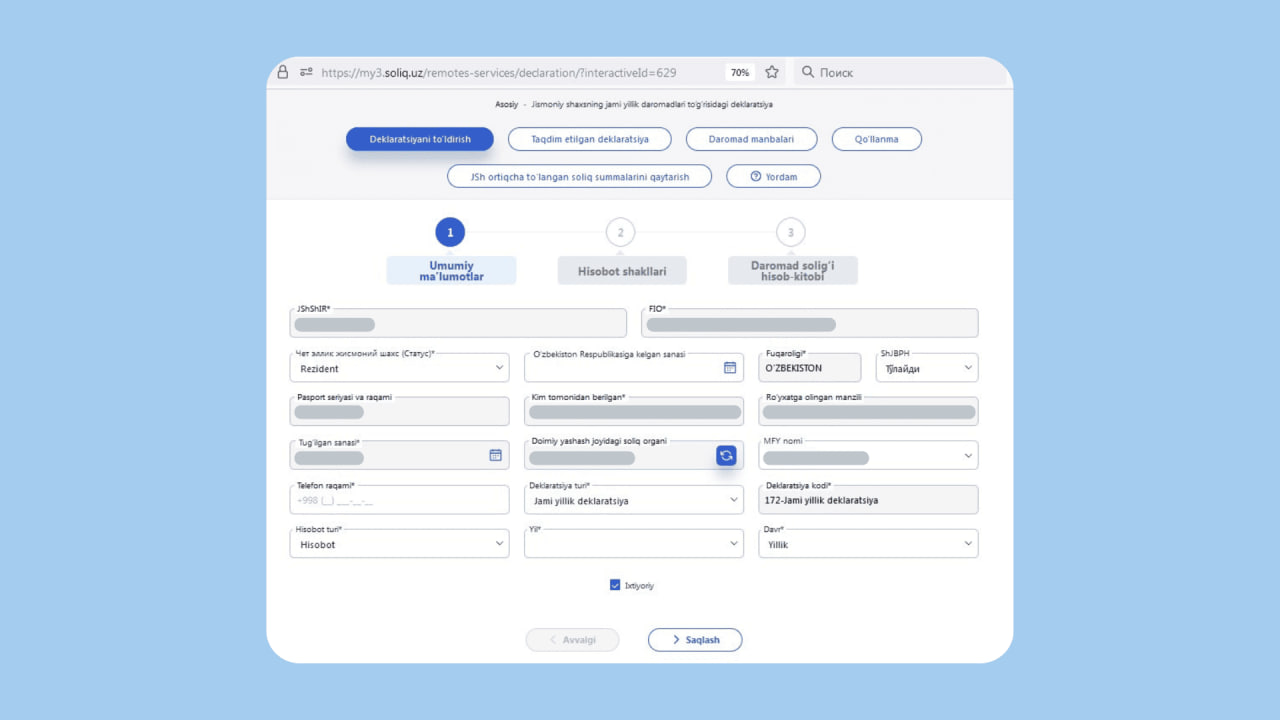
Stage 2 Report forms
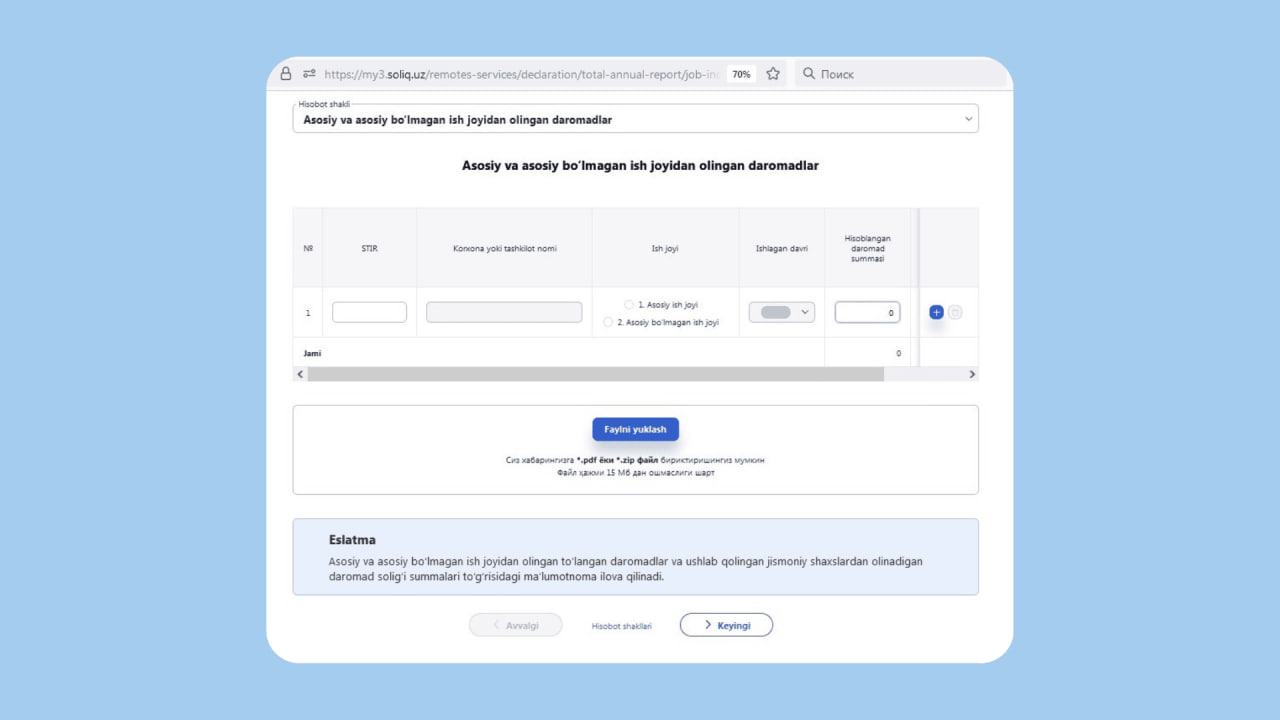
In the Declaration form field, select Income from main and secondary place of work. If your data is not there, manually add certificates of income and paid income tax, specify the taxpayer ID from the workplace, the name, the annual income, and the paid income tax.
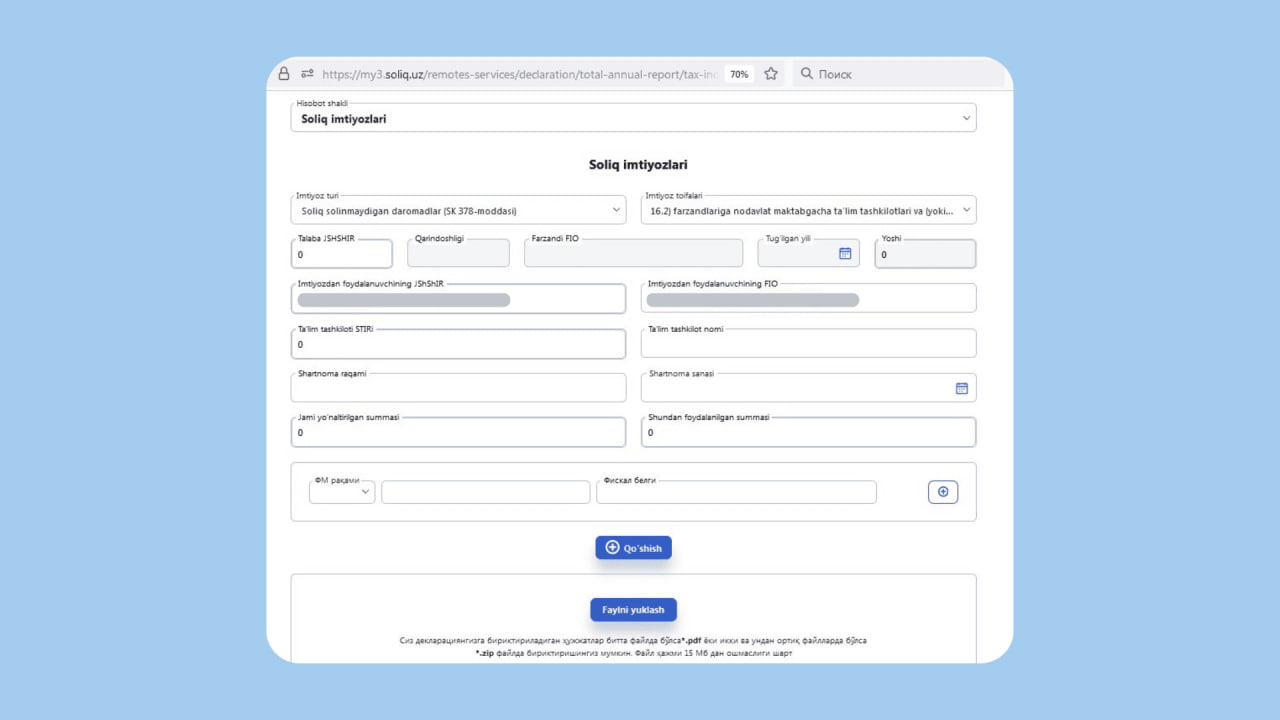
At the same stage, in the Declaration form field, select Tax benefits. Fill in a new form:
- Type of benefit — income not subject to taxation (Soliq solinmaydigan daromadlar (Article 378 of the Tax Code))
- Benefit category — 16.2
Upload payment receipts and the contract with the child’s place of study
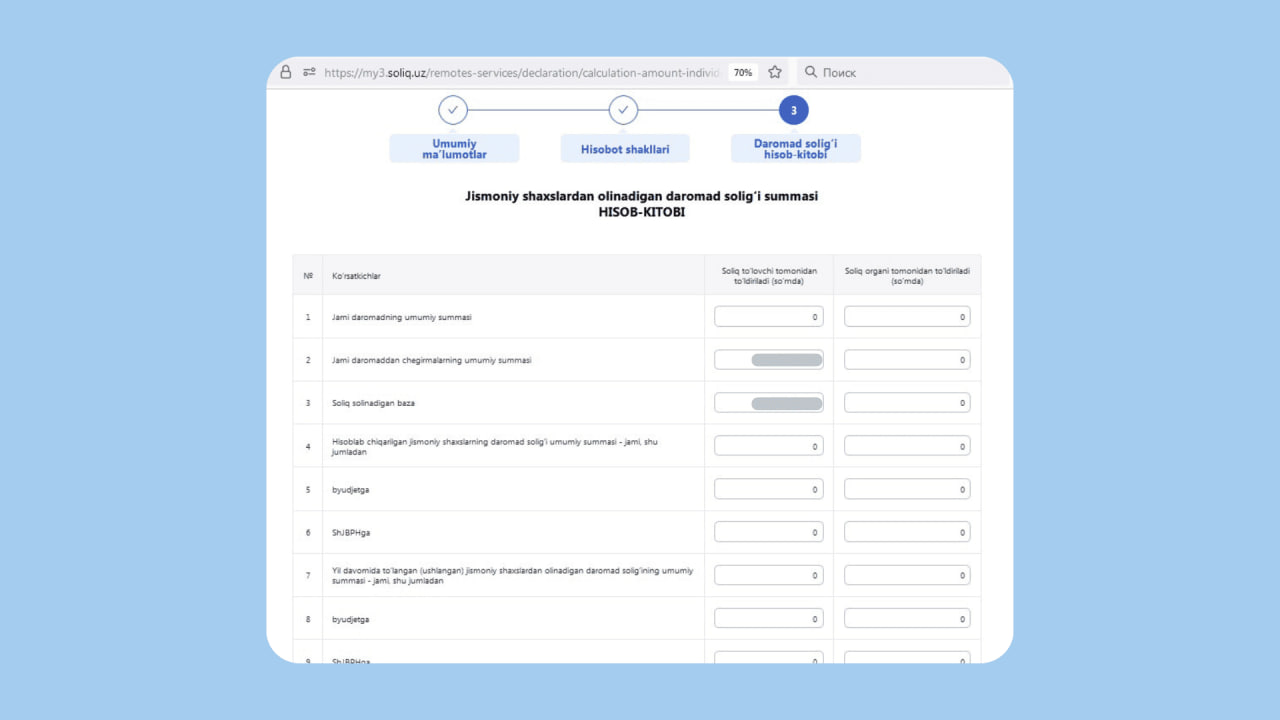
Stage 3. Income tax calculation
In this section, the tax will be recalculated automatically and the amount to be refunded will be shown. Make sure everything is correct and send the declaration for review.
How to request the benefit in Soliq
After filling out the declaration, check its status. If it has been successfully accepted, open the service «ЖШ ортиқча тўланган солиқ суммаларини қайтариш». There you will enter your card details:
- Card number
- MFO
- Transit account
It is better to find out these details from your bank in advance. If everything is correct, the transfer will arrive within 15 working days after the application is accepted.
What to do if you are refused
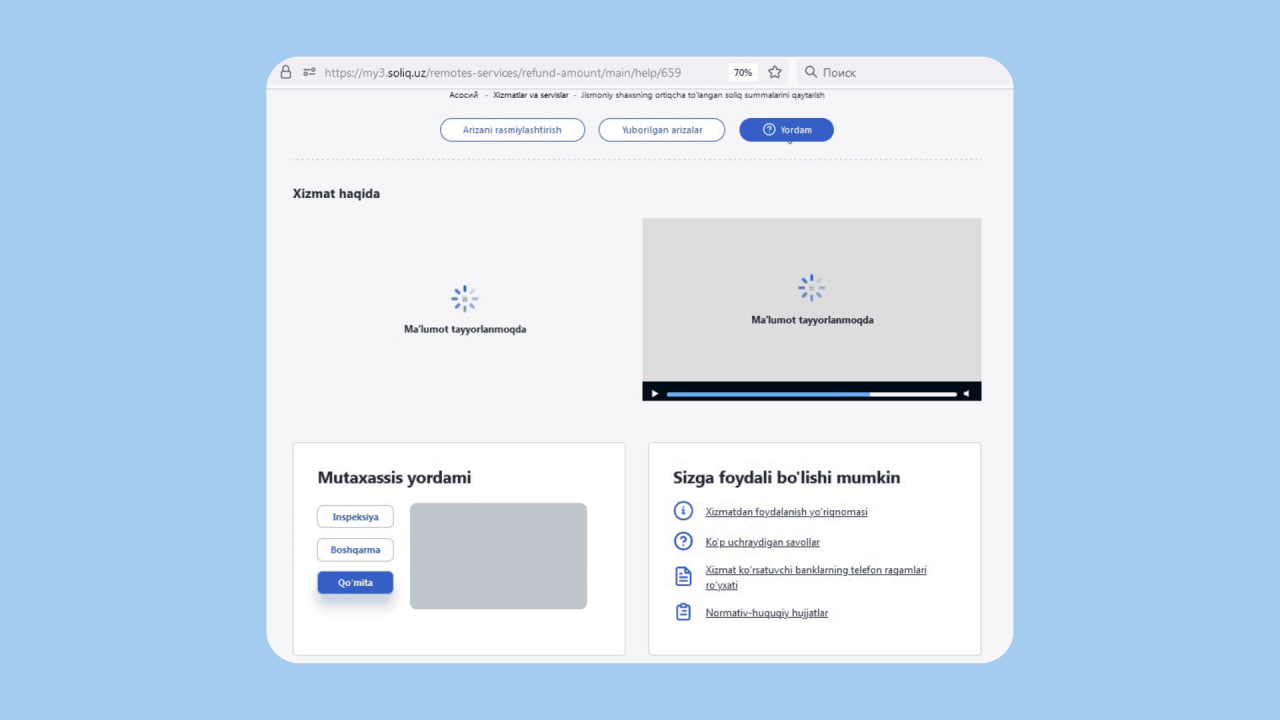
You will be informed of the reason for the refusal. If you made a mistake when filling out the forms, you will have 10 days to correct it. You can ask specialists for help. The contact details are available:
- At the bottom of the page
- On the main page of your tax service
- In the “Help” section
- By calling 1198
Conclusions
- The benefit allows you to receive up to 3 million sum for a child’s education.
- You can get the benefit through the accounting department, online on my.gov and Soliq, or in person at the tax office.
- To get the benefit online, you first need to submit a declaration of annual income, then submit an application for a refund of income tax.
- You will receive the benefit to the card number that you indicate in the application.
- If you receive a refusal, you can contact the tax authorities for help.

Related News
14:44 / 02.07.2026
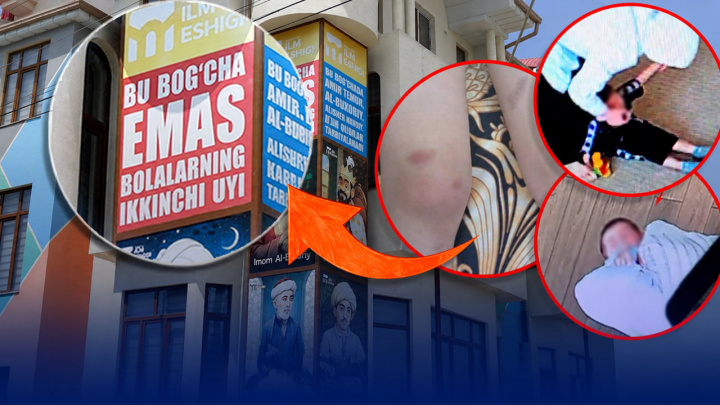
Criminal investigation launched into child torture allegations at Tashkent private kindergarten
17:34 / 01.07.2026
Fergana tax authorities block UZS 125.4 billion in fraudulent VAT claims after uncovering fake trade scheme
16:37 / 01.07.2026
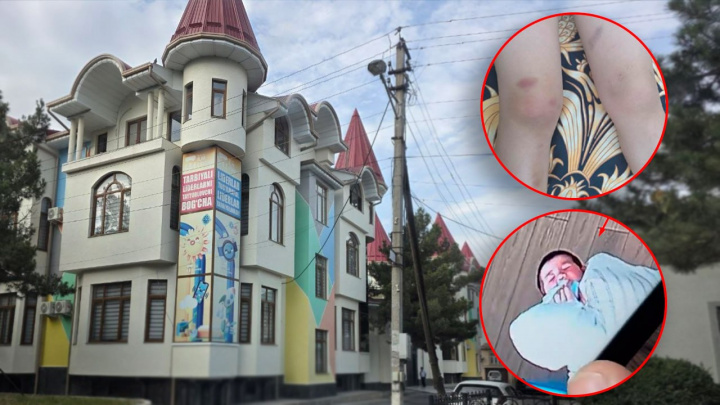
Ministry investigates private Tashkent kindergarten over systemic child abuse allegations

17:03 / 26.06.2026