How to bring a phone into Uzbekistan and register its IMEI
|19:50 / 26.03.202614,14312 min
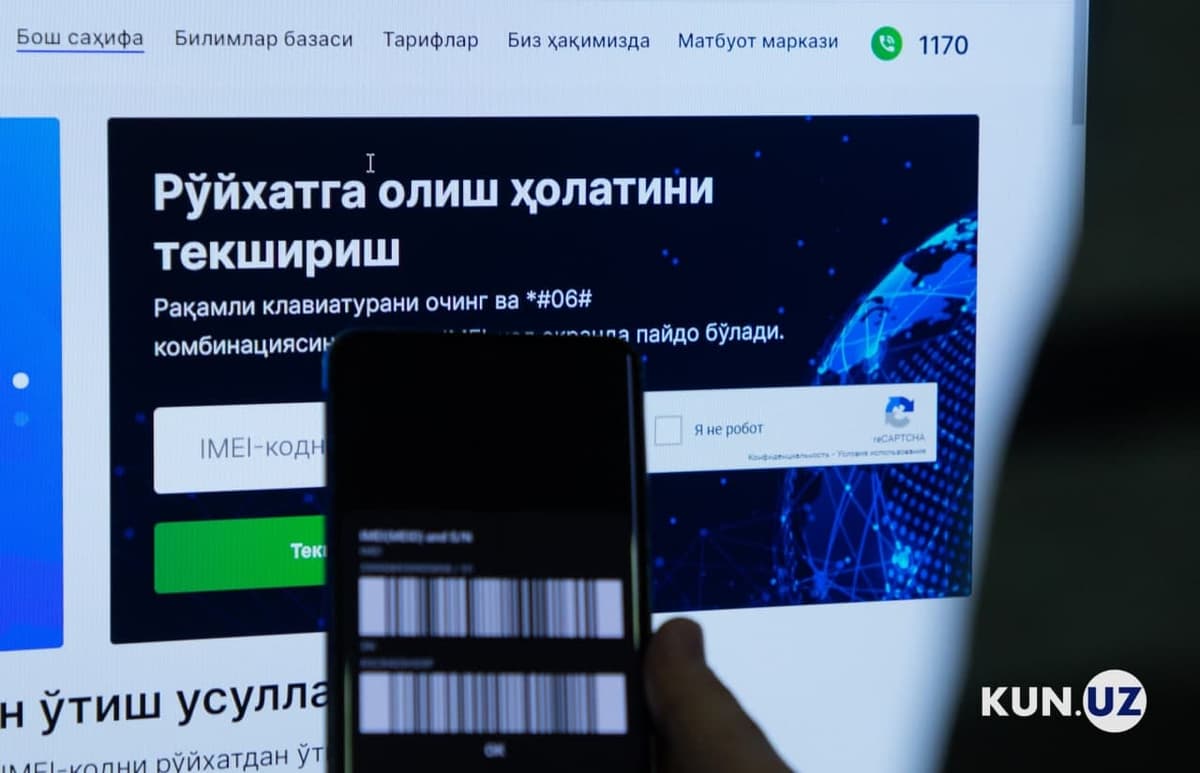
Every phone has an IMEI — a unique 15-digit code that identifies the device in a mobile operator’s network. If the phone has two SIM card slots, it has two IMEI codes. To use mobile communication in Uzbekistan, both codes must be registered in the UzIMEI system.
Фото: Kun.uzФото: Kun.uz
If the phone is not properly registered, it will stop connecting to the mobile network after 30 days. The registration process depends on how the phone entered the country. If you brought the phone yourself, you must first declare it at customs and then register the IMEI. If the phone was delivered from abroad, the delivery service handles customs procedures and you only need to register the IMEI.
How to bring a phone into Uzbekistan by yourself
If you bring a phone by yourself, you must pass through customs with it. Many travelers may not notice this step because, at the time of writing, there are no warnings at arrival points about mandatory declaration of phones that have not yet connected to Uzbekistan’s mobile network.
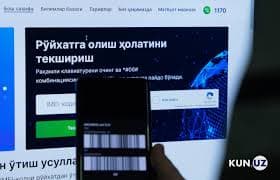
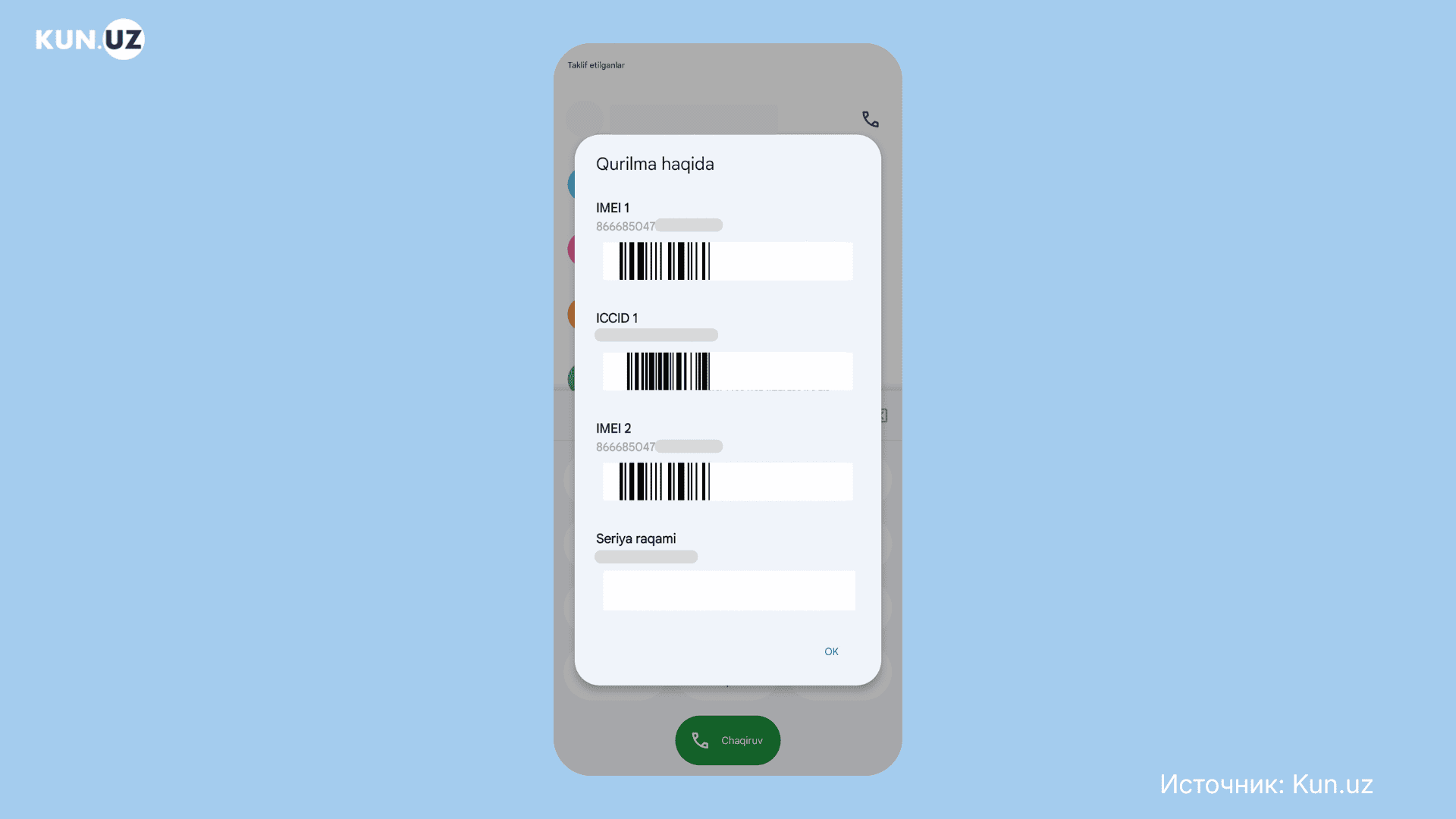
IMEI codes displayed on a phone screen
To register an IMEI, you must have a document confirming customs clearance:
A declaration completed when entering the country.
Or a customs payment order issued after entry.
You can complete the declaration at customs using the Yo'lovchi deklaratsiyasi mobile app. When entering the country, list all IMEI codes of the device. If you declare the phone at entry, you can bring phones duty-free if their total value is less than:
1000 $ — when entering through the airport, up to two phones.
500 $ — when entering by railway or river transport, one phone every six months.
300 $ — by car or on foot, 1 phone every six months.
If the total value is higher, you must pay a duty — 30% of the amount above the limit. Customs determines the value of the phone using its internal price database. The value can also be confirmed with purchase receipts.
Before filling out the declaration, find out the phone’s IMEI codes.
Related topics
How to find a phone’s IMEI
You can find out the IMEI codes using these methods:
Enter the code *#06# on your device. One or more IMEI codes will appear on the screen along with the barcodes.
On the packaging of the phone.
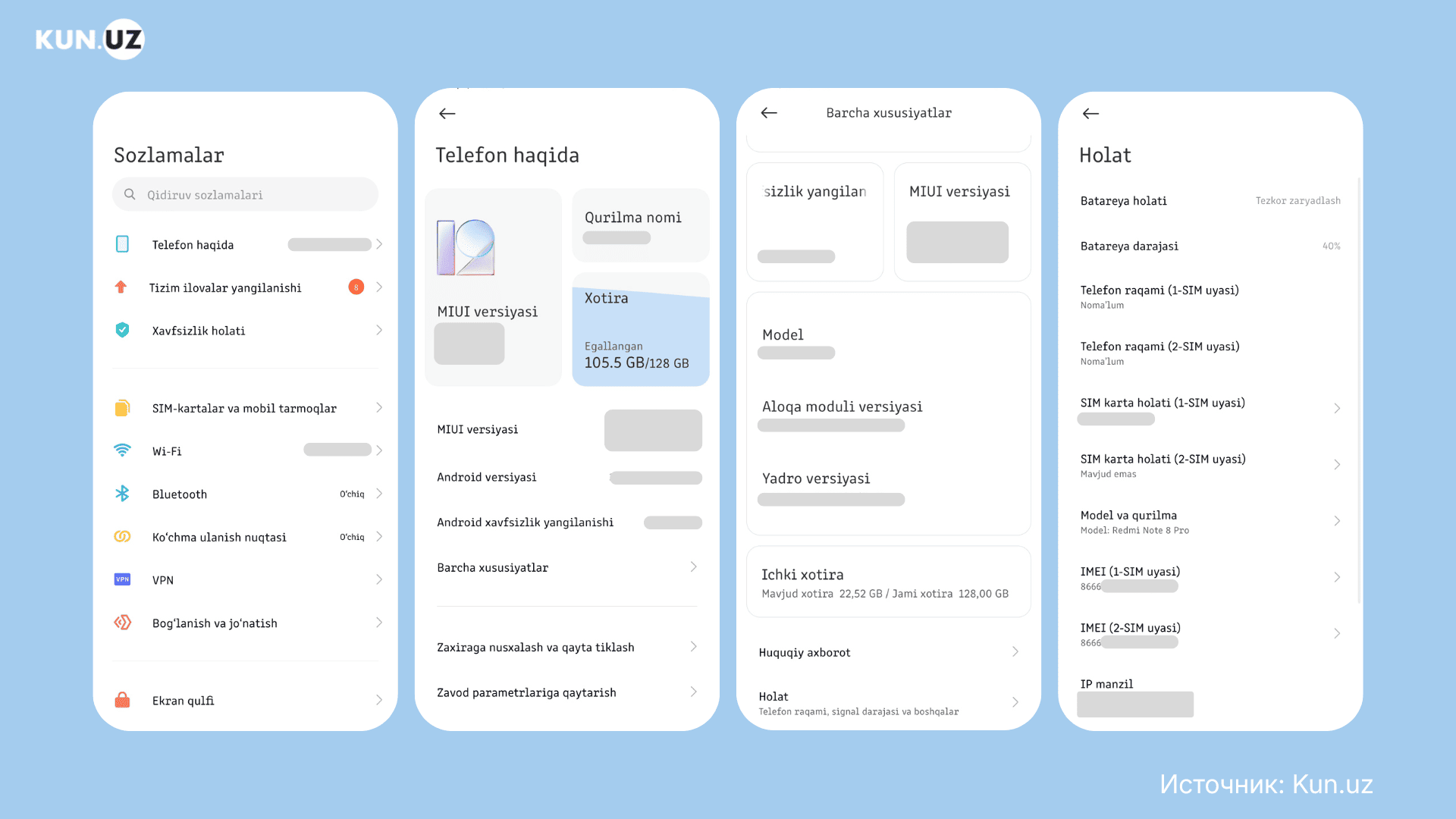
In the device settings: About phone → All specs → Status.
In the warranty card.
Under the battery on some devices.
Sometimes the IMEI code cannot be copied. Before registration, write the codes down or take a screenshot.
Example of where IMEI codes appear on an Android phone
How to fill out the declaration in the Yo'lovchi deklaratsiyasi app
Download the app from Google Play or App Store. You can enter the app without registering, but your data may be lost if you log out. You can sign in:
By phone number.
Through OneID.
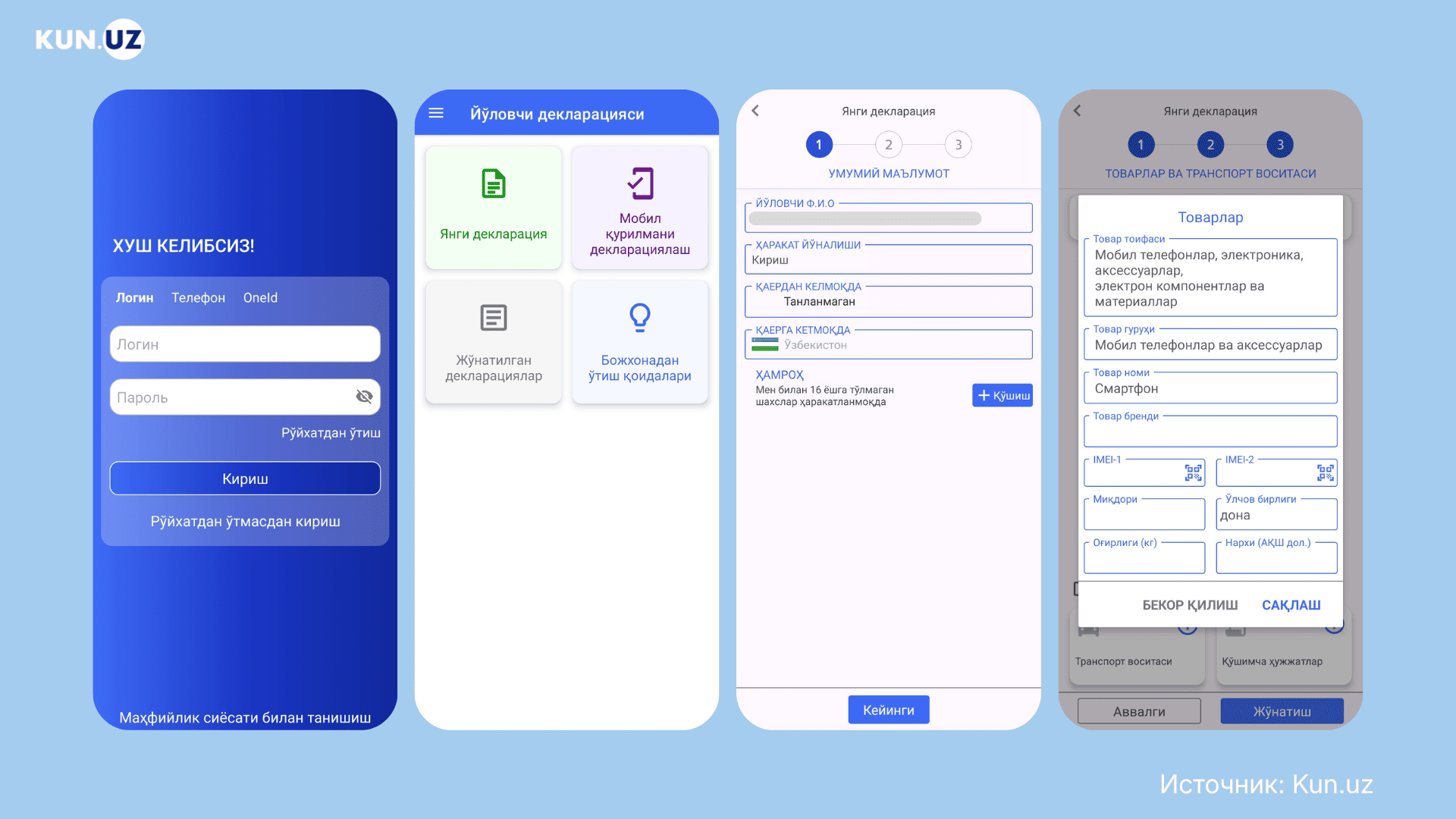
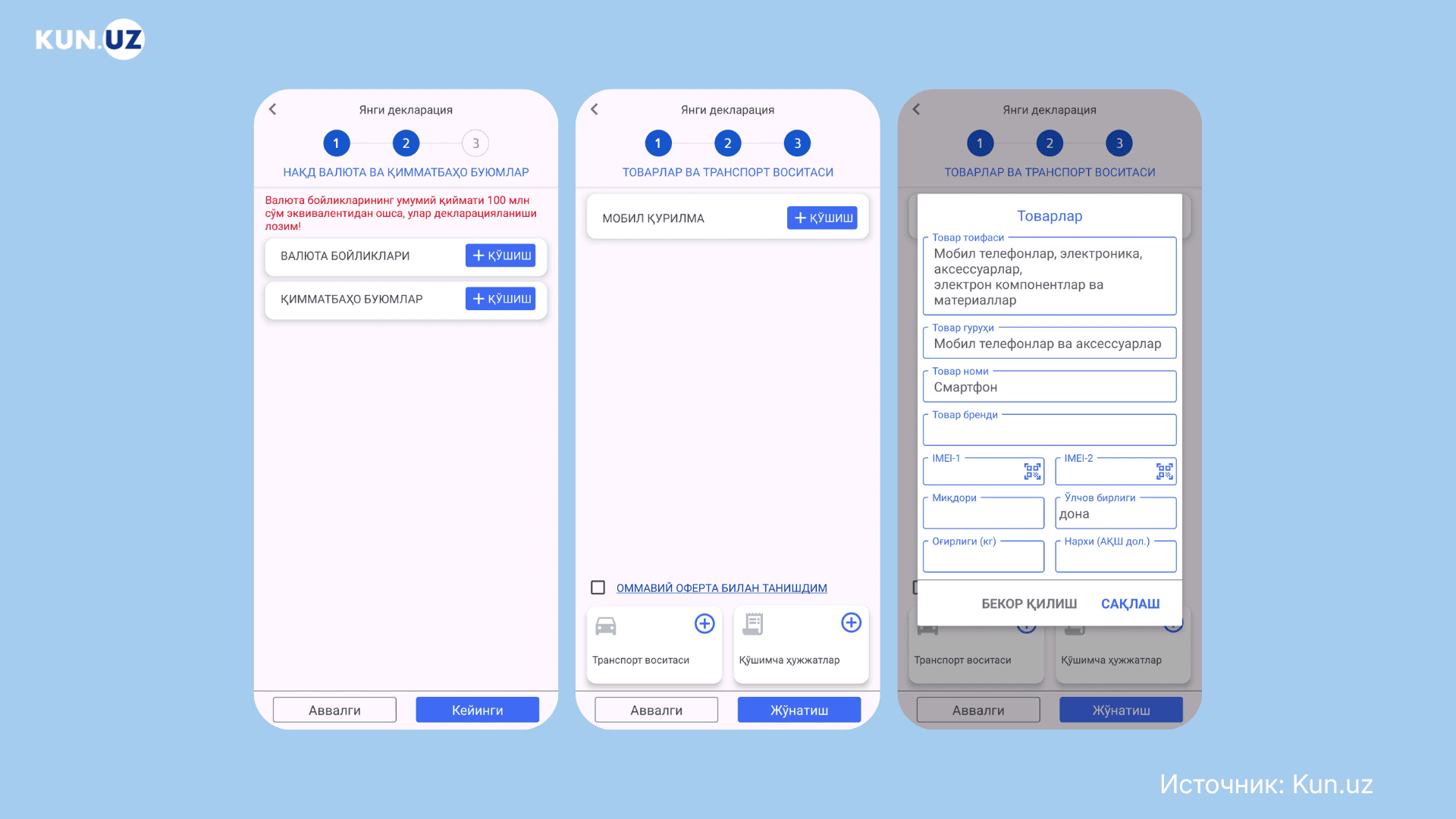
Choose «Declaration of a mobile device» or «New declaration». Select direction Entry, indicate where you entered the country from, and specify whether anyone under 16 is traveling with you. Then choose the types of goods you are bringing or select what I don't have any of the above.
Filling out a customs declaration in the Yo'lovchi deklaratsiyasi app
List the currency you are bringing and any valuable items. If you are not bringing any, tap Next. Then add each mobile device that has not been used in Uzbekistan.
Enter the phone brand, price, weight, and quantity. You can check the price with customs or confirm it with receipts.
Enter the IMEI codes manually or scan them using the camera. To scan them, show the IMEI together with the barcode. Then submit the declaration.
Steps for filling out the declaration in the Yo'lovchi deklaratsiyasi app
A QR code will appear on the screen. Show it to customs officers and pay the duty if required.
At the offices of Mobiuz, Ucell, Uzmobile (only for their customers)
If you do not register the IMEI codes within the first 30 days after using a SIM card, the phone will be blocked from mobile networks. The connection will be restored after registration.
IMEI codes are registered only once. Re-registration is not possible. Registering an IMEI code in someone’s name does not give that person ownership of the phone unless they purchased it.
How much IMEI registration costs
The price depends on how long the phone has been used.
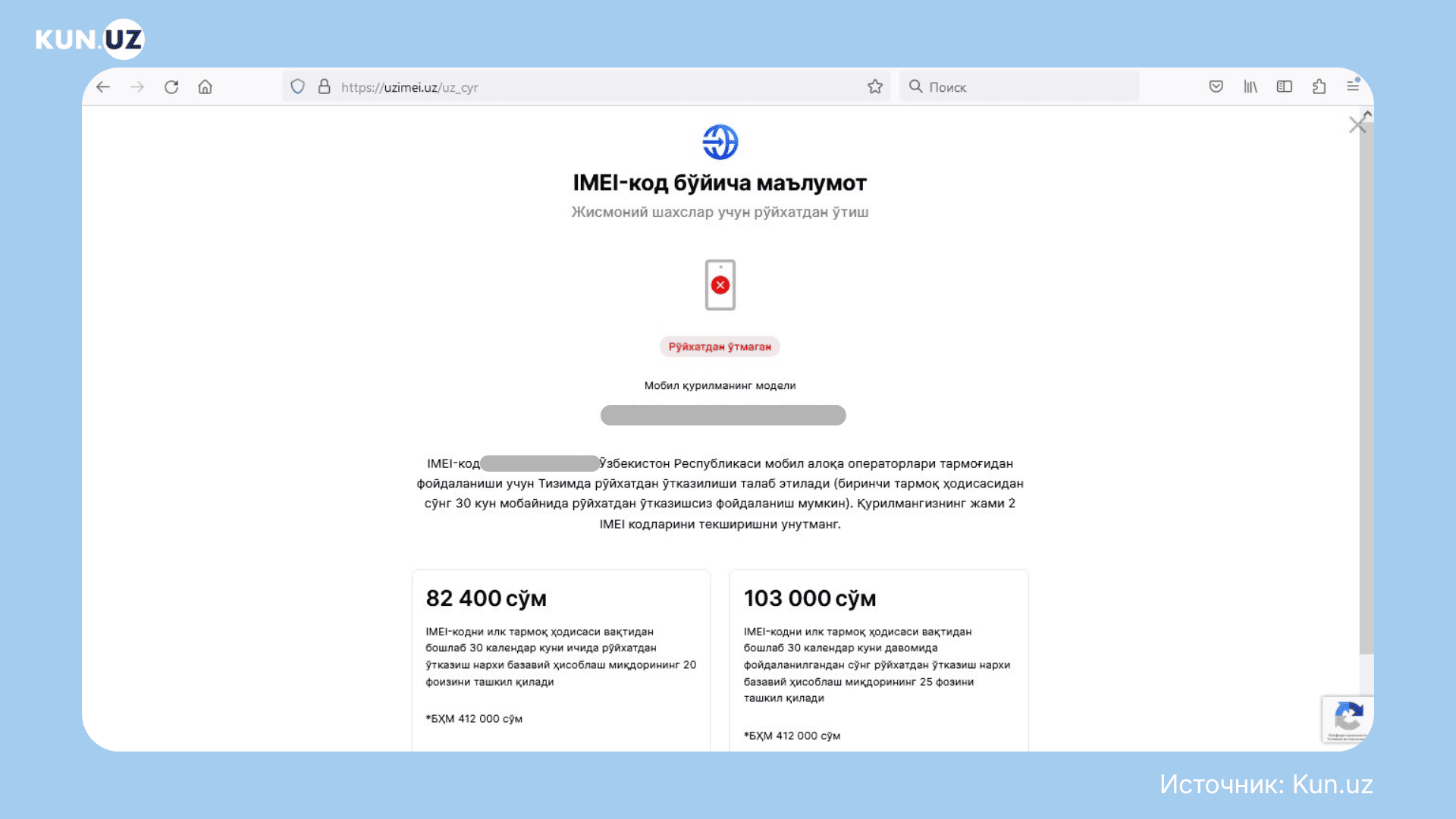
82 400 sum (20% of the BCV) — within 30 days after the first use of a SIM card.
103 000 sum (25% of the BCV) — after 30 days.
Starting from August 1, 2025, the BCV (basic calculated value) is 412 000 sum.
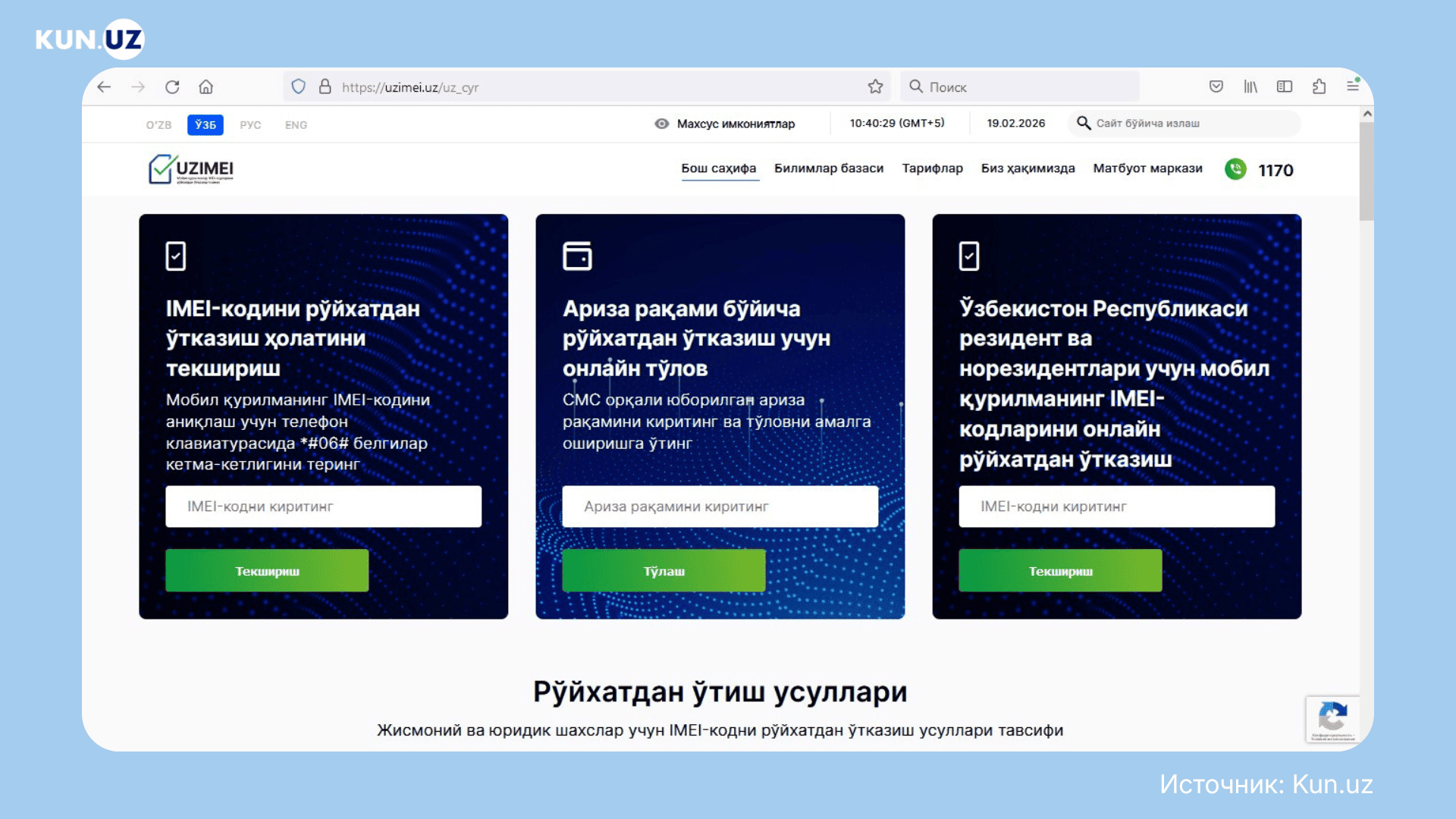
How to register IMEI on uzimei.uz
Go to uzimei.uz and enter the IMEI code in the Online registration of mobile device IMEI codes field.
Registering IMEI codes on uzimei.uz
First, the system checks the IMEI code. Then continue with registration. Enter your phone number and the verification code. Provide your date of birth, PINFL, passport series and number. If the phone has a second IMEI code, enter it as well. Confirm your identity using the camera and submit the application.
You will receive an SMS for payment. You can pay through Click, Payme, or at a bank. In a payment app, find uzimei.uz payments, enter your application number, and pay the amount shown. The payment must be completed within 10 days.
How to register IMEI in the Birda app
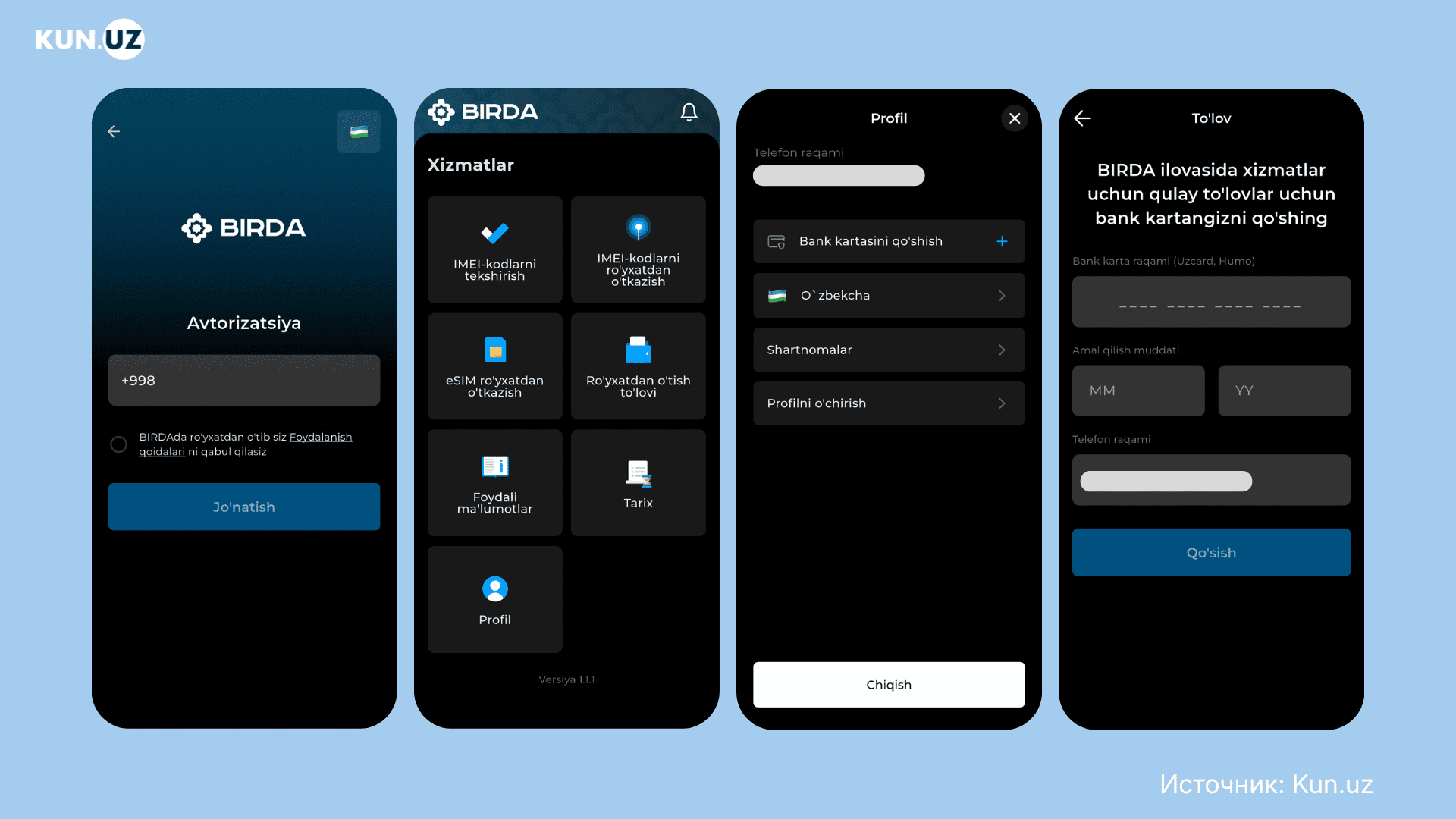
Install and open the Birda app. Log in to your profile using your phone number. Before registering IMEI codes, add a bank card to your profile for payment. Tap Add bank card, enter the card number and expiration date, then tap Add again. You will receive an SMS with a confirmation code.
Adding a bank card in the Birda app
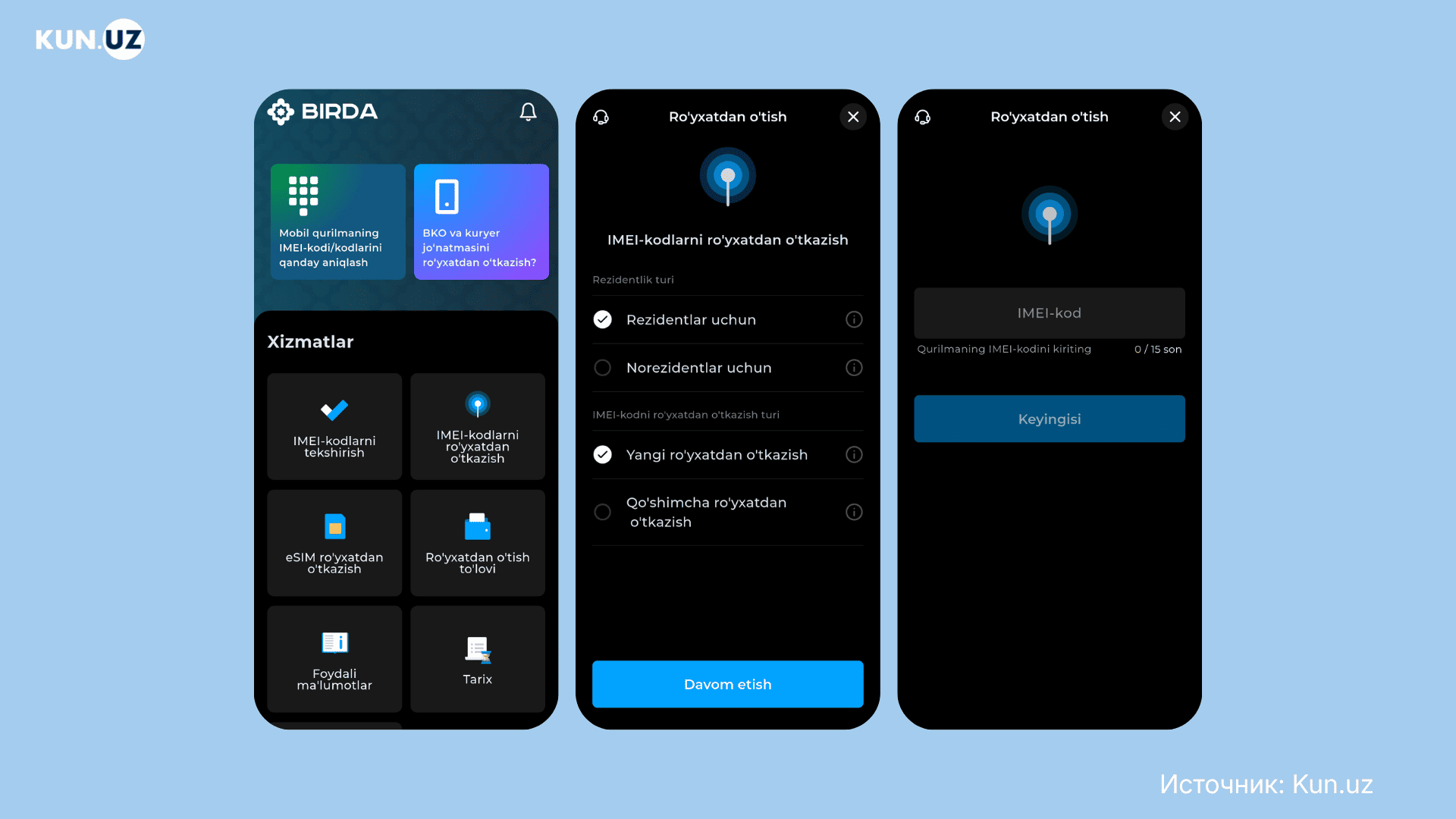
Then tap IMEI code registration. Choose New registration if you are registering the first IMEI code of the phone. Choose Additional registration if you are registering the second IMEI code.
Registering IMEI in the Birda app
Enter the IMEI codes, your PINFL, date of birth, and passport series and number. Confirm your identity using the camera and pay for registration.
How to register IMEI in the my.gov app
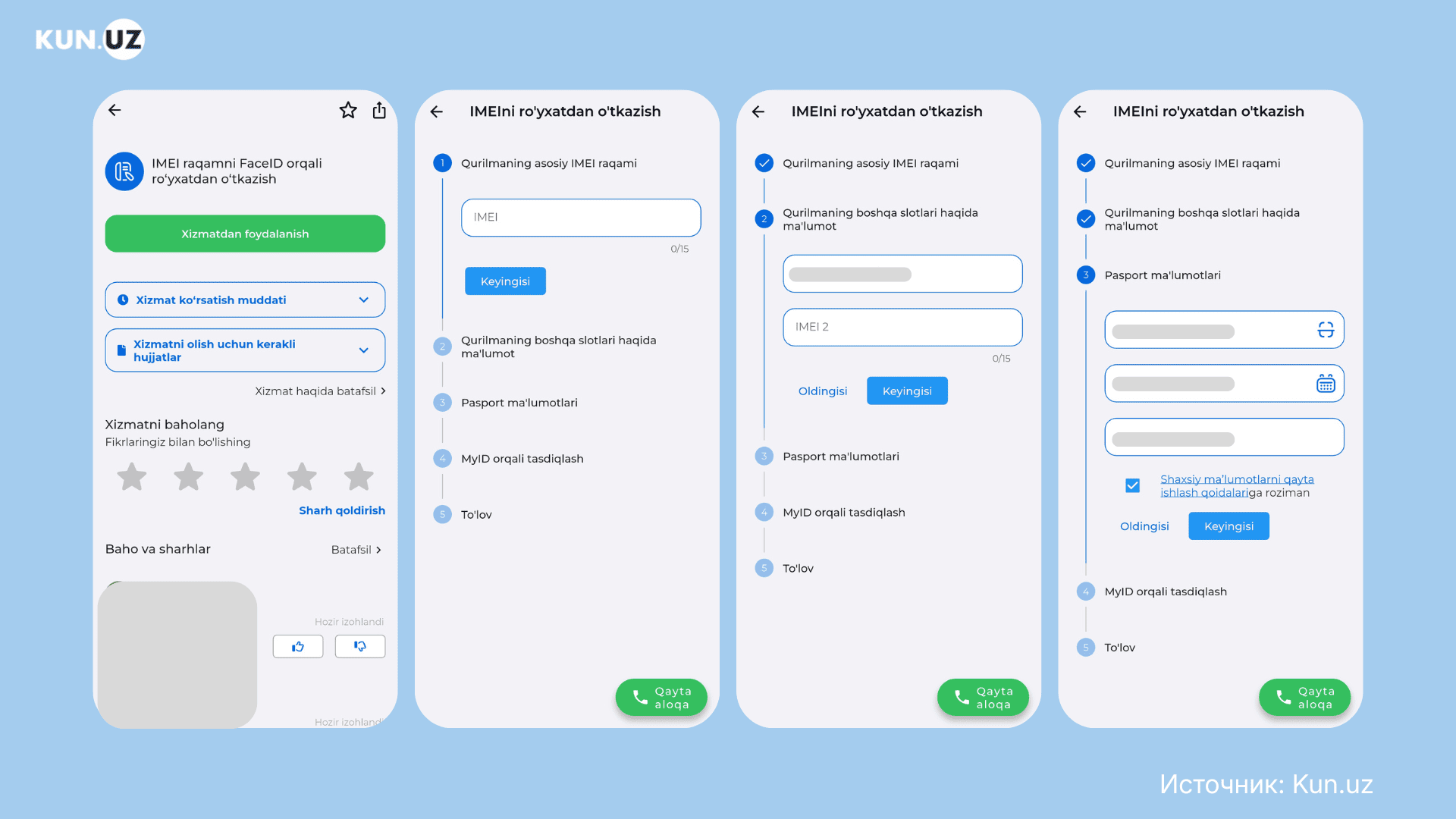
Install the my.gov app and log in. Find the service «IMEI number registration via FaceID». Enter the device’s IMEI codes, passport series and number, date of birth, and phone number. Then confirm your identity using the camera and pay for registration.
Service «IMEI number registration via FaceID»
How to check IMEI registration
You can check the registration status of an IMEI code in several ways:
Via the *1170# request. Enter the numbers to select: Language → Check IMEI → IMEI code.
Sending SMS with the IMEI code to the number 1170.
On the website uzimei.uz. To do this, enter the IMEI code in the Check the registration status of the IMEI code column.
Message on uzimei.uz if the IMEI code is not registered
Check each IMEI code.
Also check IMEI registration before buying a phone in Uzbekistan. All IMEI codes must be registered. Otherwise, the phone will not work with a local SIM card.
How to register a phone delivered from abroad
If a phone arrives from abroad through courier or postal delivery, the delivery service handles customs clearance. You only need to register the IMEI codes. There is a duty-free limit for parcels. Each month you can receive goods worth:
200 $ — via international courier shipments.
100 $ — via international postal shipments.
If the limit is exceeded, you must pay a duty of 30% of the amount above the limit.
You can also register IMEI at a UzIMEI office. You will need:
The envelope the device arrived in (with a postal date stamp and tracking barcode)
An identity document
Your mobile device
Summary
Do not buy phones in Uzbekistan with unregistered IMEI codes.
If you brought the phone yourself, complete two steps: declare the phone at customs and register its IMEI codes.
IMEI registration is required to use mobile networks in Uzbekistan. Without it, the phone will be blocked. Service will be restored only after registration.
IMEI codes cannot be registered without customs clearance and payment of duties.
If you brought the phone yourself, it is cheaper to declare it at customs upon entry and register the IMEI codes within 30 days after using a SIM card.
If the phone was not declared at entry, you must obtain a customs payment order and pay the duty.