SOCIETY | 12:47 / 24.10.2025
2519
10 min read

How to get a refund for IELTS if you scored 7.0 or above?

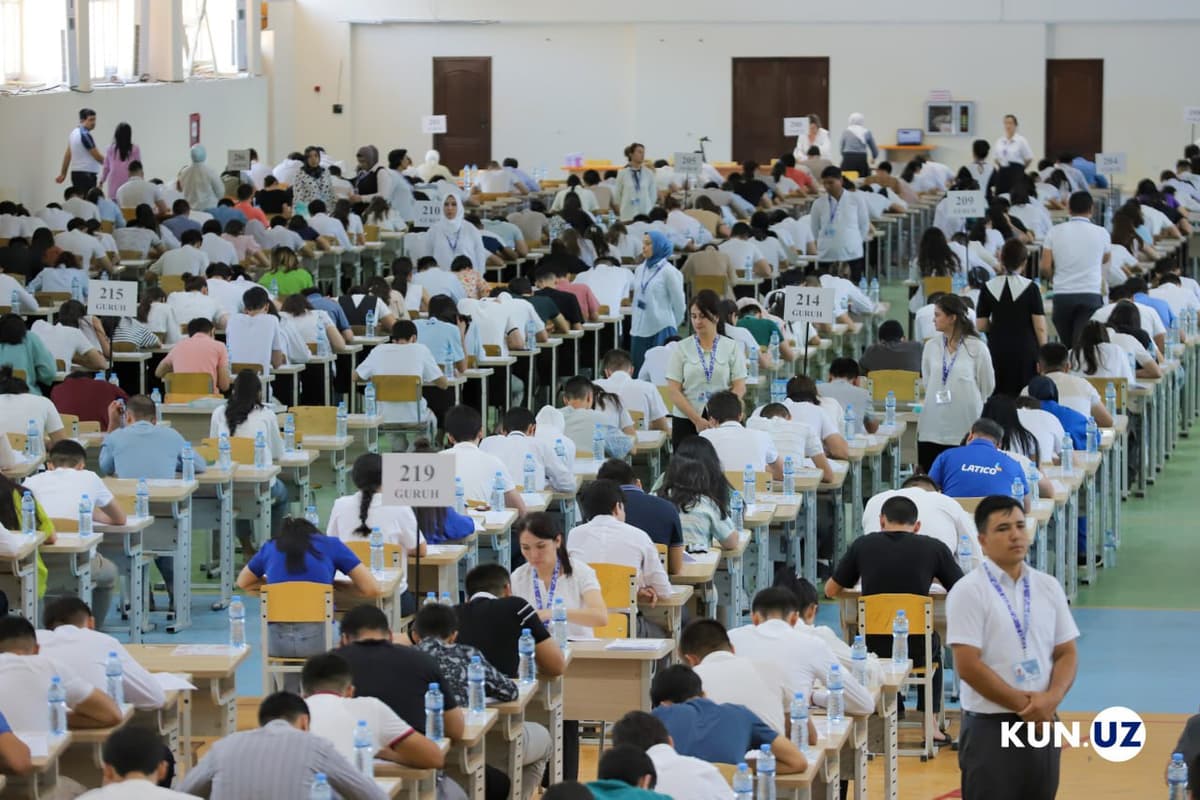
In 2024, the number of students achieving high scores on the IELTS exam increased: 13,400 candidates scored between 7 and 8, while more than 300 achieved 8.5 or over. More and more young people are demonstrating English proficiency at C1 and C2 levels, but not everyone knows that these results make them eligible for a refund of the exam fees.

I, Asal Ravshanova, took the IELTS in June this year and scored 7.0. I submitted a reimbursement request through the portal my.gov.uz and received the payment within three weeks. In practice, the process was not very complicated, but there are some nuances you should know in advance.

Who is eligible for a refund?

Refunds are available for those who achieve an overall score of 7 or higher. This means that candidates demonstrating advanced English proficiency – from C1 to C2 on the CEFR scale – can receive partial or full reimbursement for the exam. For example, if you scored 7.0, 7.5, 8.0, or higher on IELTS, you are entitled to a refund.

Partial refunds are only possible if the candidate cancels the exam themselves and do not apply to the state compensation program.

  • If the exam is canceled at least five weeks in advance for paper-based tests or two weeks in advance for computer-based tests, the fee is refunded minus a 25% administrative charge.
  • If the exam is canceled later, no refund is issued.

Refund policies of British Council Uzbekistan

Refund policies of IDP IELTS Uzbekistan

The state reimbursement program (Cabinet of Ministers Resolution No. 209 dated 13.04.2021) applies only to candidates who successfully pass the exam with a score of 7.0 or above and provides for full reimbursement.

For more details, see Cabinet of Ministers Resolution No. 209 dated April 13, 2021.

How to submit a reimbursement request

Refunds are processed through the portal my.gov.uz. Log in to your account, select the section “Reimbursement for education and international exams”, and complete the online form.
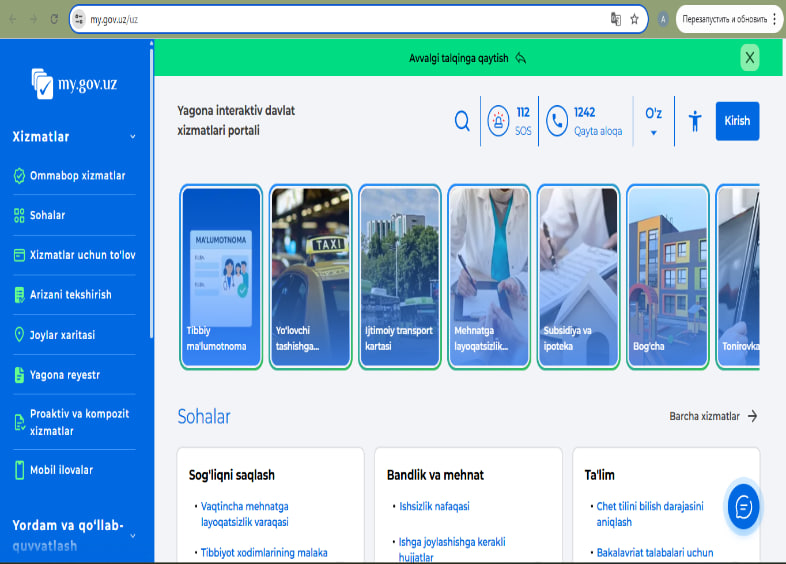
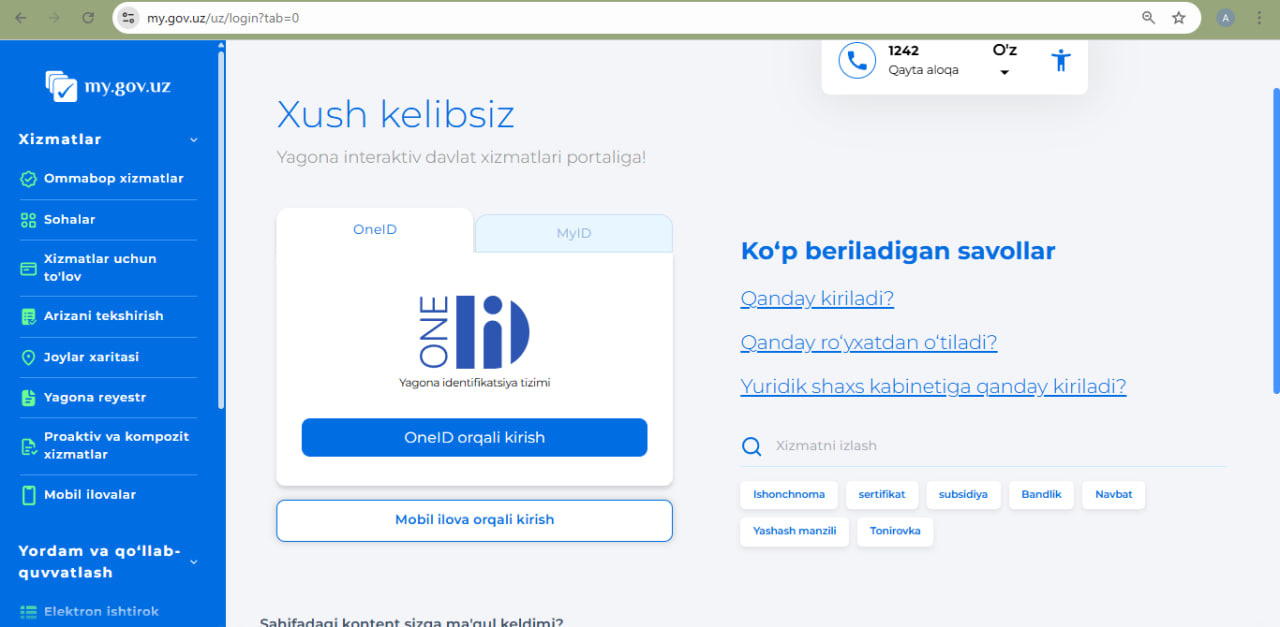
The main page of the my.gov.uz portal. It shows where to click “Log in” to sign in through OneID or MyID.

1. Logging in to my.gov.uz

Registration on my.gov.uz takes about 10 minutes. You can log in via OneID or MyID:

  • OneID is the standard login for most government online services.
  • MyID is a newer option that allows logging in with an ID card, automatically populating applicant data.

When using MyID, the system automatically fills in key information such as your full name, PINFL, address, and date of birth, simplifying the form completion. Any errors entered manually (e.g., in PINFL or surname) will prevent the form from being submitted, and the system will notify you of inaccuracies.

Before submitting your request, double-check all information. Once successfully submitted, you can track the status of your request in your portal account.

The main page of the my.gov.uz portal with login buttons for OneID and MyID. The screen shows how to choose an authentication method before submitting an application.

2. Completing the application form

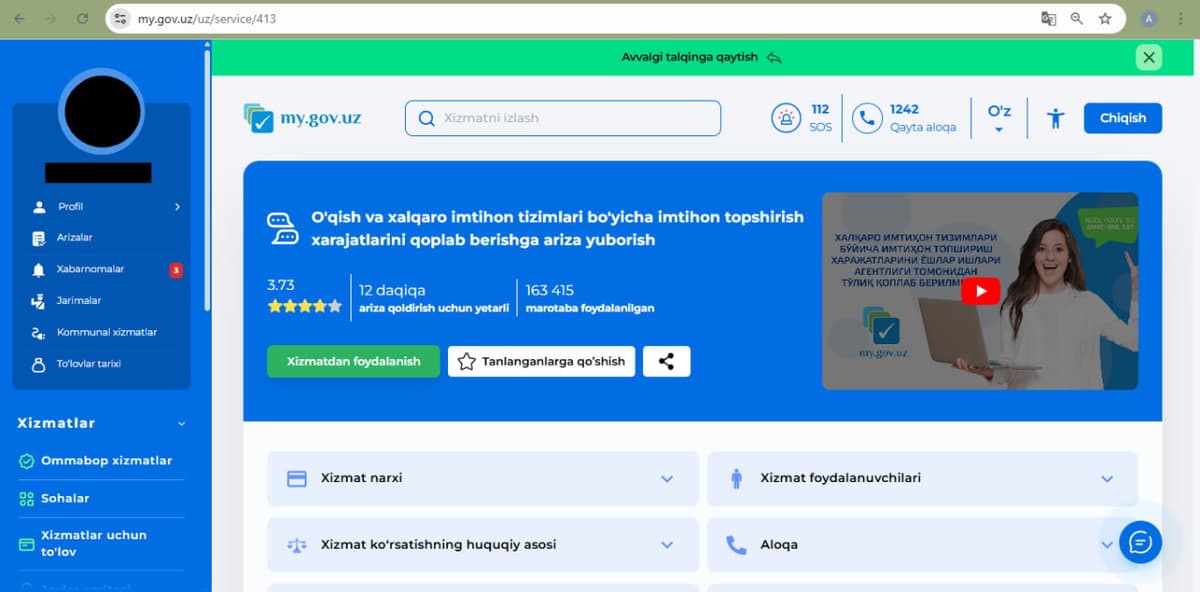
After selecting “Reimbursement for education and international exams” on my.gov.uz, you need to fill out the form carefully, as mistakes at this stage often cause delays or rejections.

The search window on the my.gov.uz portal. The search bar contains “reimbursement of expenses for education and international exams,” and the result with the required service is displayed.
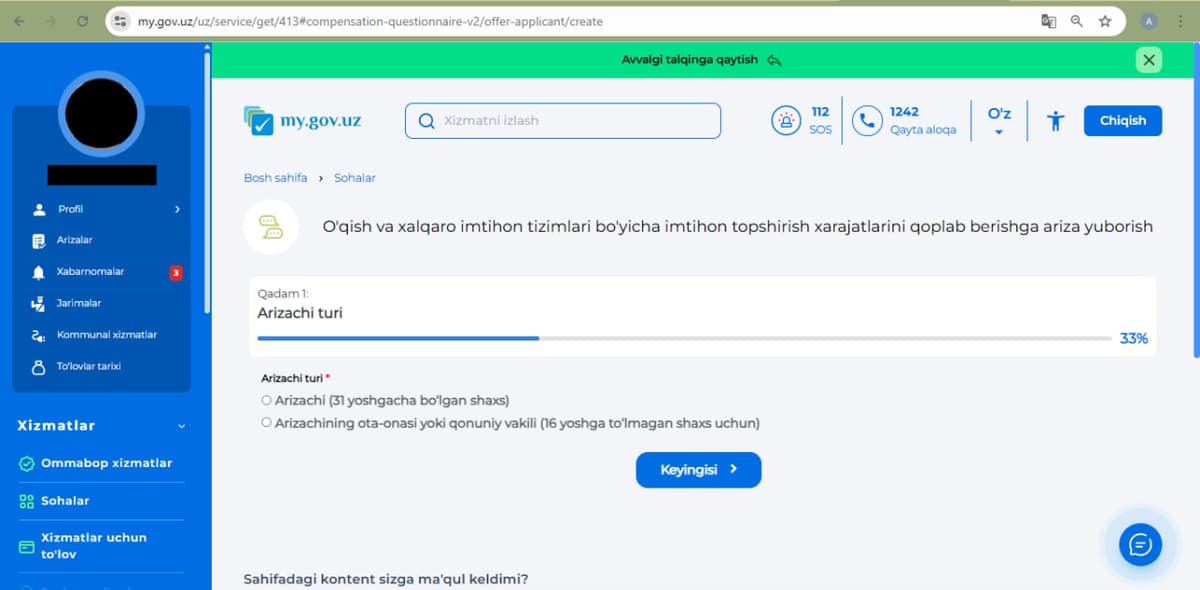
The applicant selection screen. It shows where to choose “Applicant” or “Parent / legal representative” depending on who took the exam.
  • On the first screen, choose who is submitting the application:
  • Applicant – if the exam was taken by the individual themselves (under 31 years old).
  • Parent or legal guardian – if the exam was taken by a child under 16 years old.

This choice determines whose name the documents will be issued in and who receives the payment. Selecting the wrong option will result in application rejection.

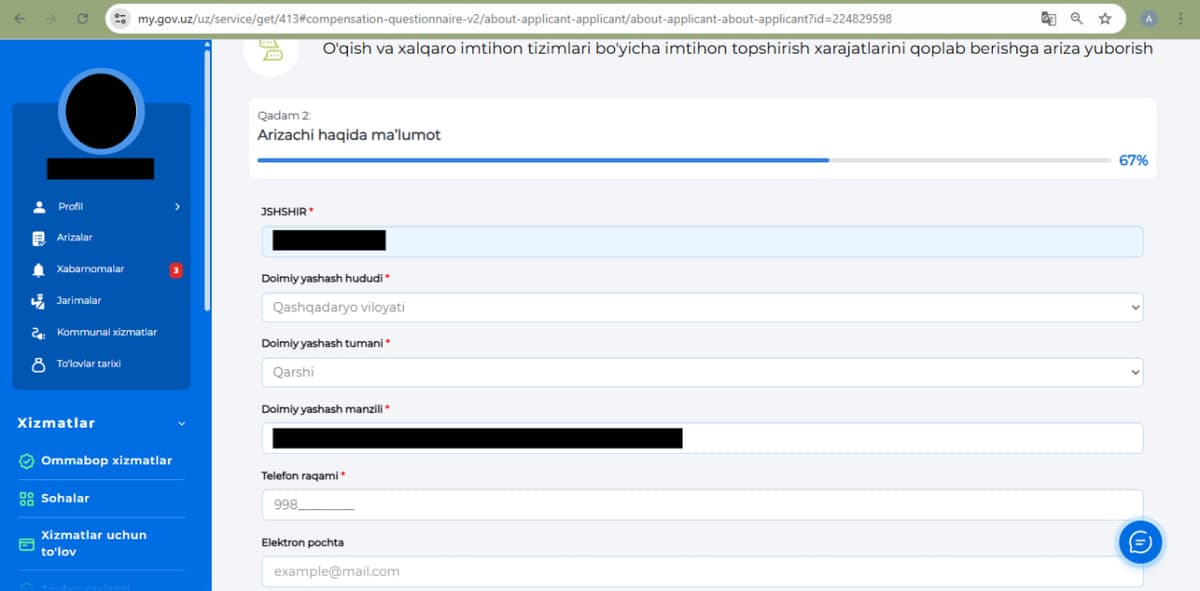
The personal information form. It shows which fields are filled in automatically (PINFL, full name, address) and where the missing information needs to be entered.

On the second screen, the system pre-fills some information if you logged in via OneID. Review all fields and complete any missing information, including:

  • PINFL
  • Region and district of residence
  • Address (as in passport)
  • Mobile phone number linked to the portal
  • Email address for notifications

Ensure all information matches your passport to avoid issues with receiving compensation.

3. Attaching documents

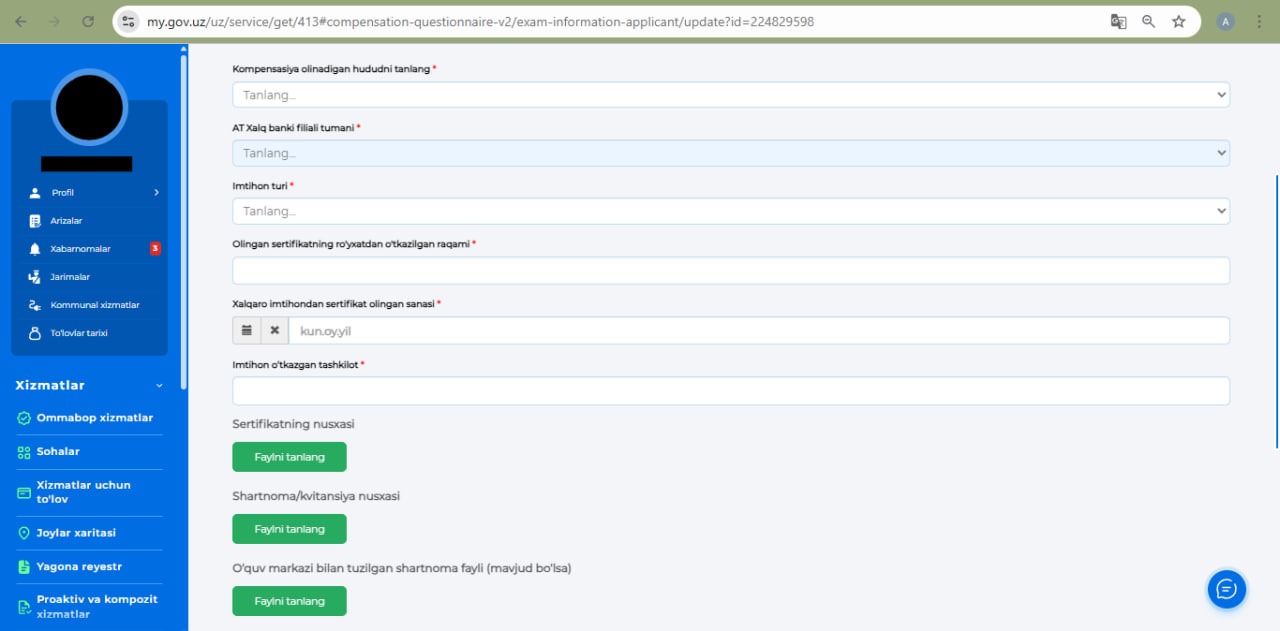
In the final stage, provide details about the exam and select the payment method. You must indicate:

  • Region for receiving compensation
  • District branch of Xalq Banki for payment
  • Type of exam – IELTS Academic or IELTS General Training
  • Registration number of your certificate (top left of IELTS certificate)
  • Date of certificate issuance (dd.mm.yyyy)
  • Exam organization – British Council or IDP Education
The file upload section. It shows how to attach the IELTS certificate and payment receipt in PDF format, select the “Xalq Bank” branch, and choose the exam type.

Attach PDF copies of the following:

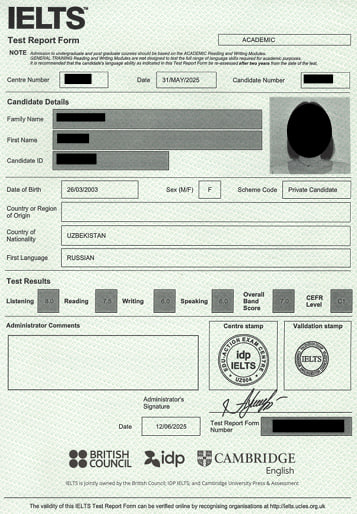
  • IELTS certificate
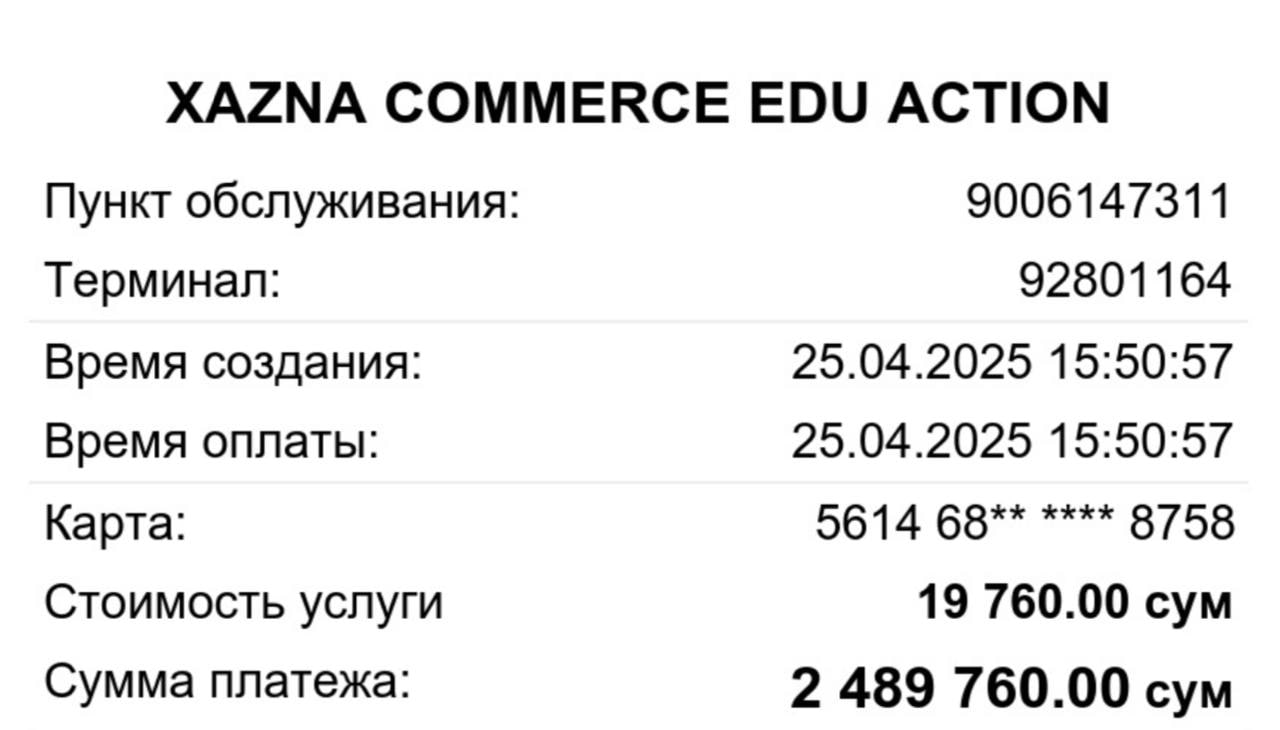
  • Exam payment receipt

IELTS certificate and payment receipt

Check all information before submission. Once confirmed, the application is sent for review.

4. Waiting for review and receiving the refund

After submission, the system shows the status “Under review”. Review usually takes up to 15 working days, though seven days is often unrealistic.

Once approved, the applicant receives an SMS notification, and a confirmation document appears in the my.gov.uz portal. In practice, approval takes between two and four weeks depending on the region and commission workload; in my case, it took 23 days.

The refund is transferred to the bank account provided in the application. After approval, funds were credited to my account within five days, not immediately.

How the process works:

  • The regional education office first reviews the application.
  • The data is then sent to the Ministry for verification of the IELTS certificate and payment details.
  • If everything matches, the system automatically approves the payment.

Do not worry if the status remains “Under review” for some time – your application is in the queue. Resubmitting slows the process.

You can receive funds:

  • At the selected Xalq Banki branch
  • Or via the Xazna mobile app for cashless transfer

Receiving funds via Xazna

Recently, more IELTS reimbursements are processed through Xazna, the Ministry of Economy and Finance’s official mobile app. The app acts as a secure intermediary between the government and the user.

  • In the Social services section, enter the required information and verify your account.
  • Once the funds are received, check your balance in the app and transfer them to your Humo or Uzcard.

If you are not registered on Xazna, the funds will still be credited, but you must create an account and verify your identity before accessing them.

“I took IELTS in May and scored 7. I applied via my.gov.uz, attached scans, and chose Halk Bank. Verification took about three weeks. Then I received an SMS that the funds were in Xazna. After installing the app, the transfer went smoothly.”

Key points to remember

  1. Compensation is available only for IELTS scores of 7.0 and above. Apply via my.gov.uz with correctly prepared documents.
  2. Payments are now made through Xazna, so register in advance to transfer funds to your card without delays.
  3. Review of applications takes about three weeks; track the status via your account or SMS notifications.
  4. Complete the form carefully and submit immediately after receiving your certificate to ensure faster reimbursement.
Prepared by:  Kun.uz Admin

Related News