



Additional features
-
Night mode

What is Freeze and how to activate it in Uzbekistan
In Uzbekistan, a service called Freeze allows individuals to voluntarily restrict access to their credit history. After activation, banks and other lending institutions cannot obtain a person’s credit history from the credit bureau. As a result, issuing a new loan becomes impossible.
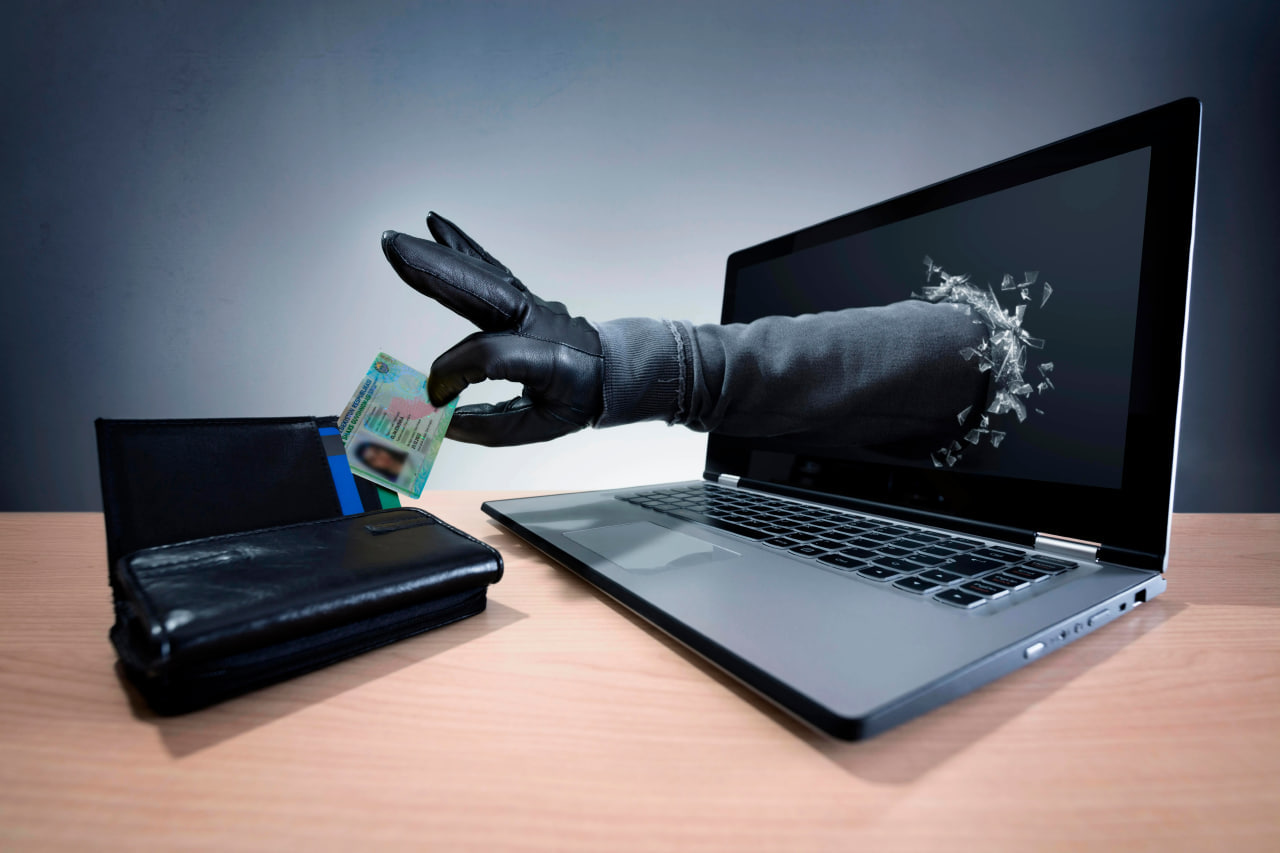
The Freeze service is primarily used as a protection measure against credit fraud.
Why Freeze is needed
According to Mashhurbek Rahimov, Deputy Director of the CATM Department, when Freeze is active, creditors cannot access the customer’s credit history. Without access to this data, issuing a new loan is not possible.
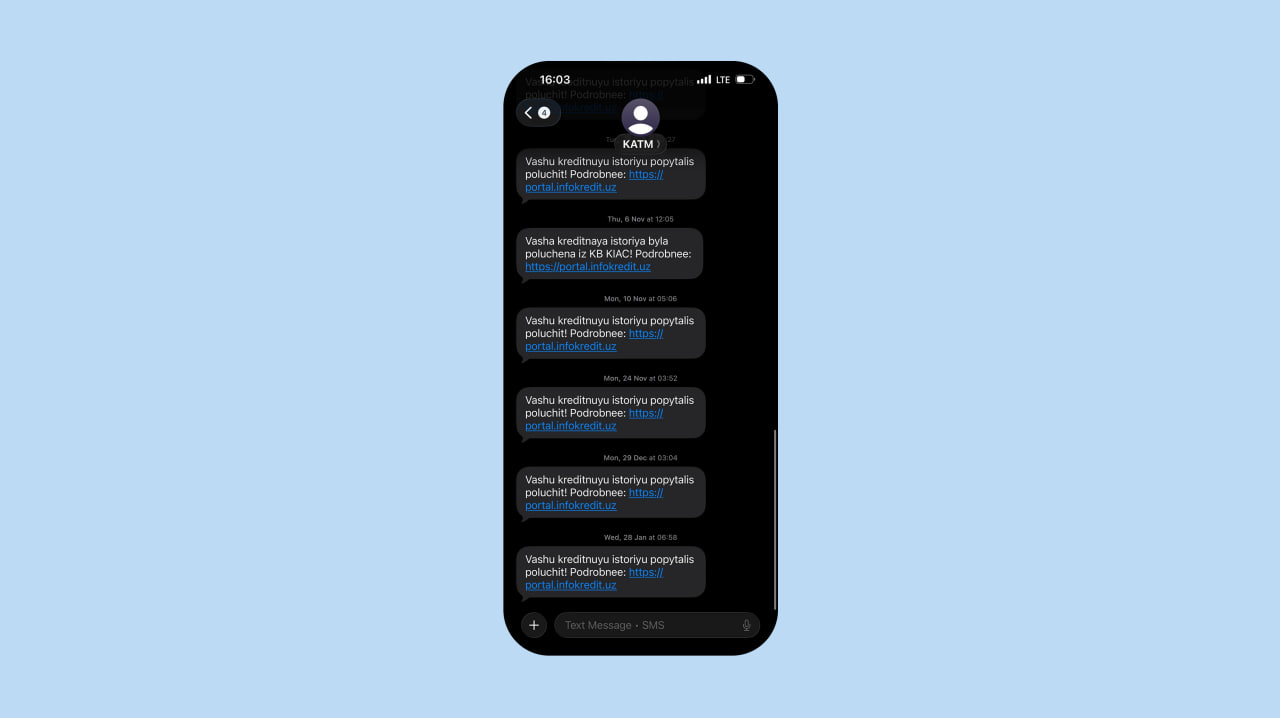
At the same time, attempts to request a credit history may still be recorded in the system. Even if no loan is issued, users may receive notifications about attempts by banks or financial institutions to check their credit history. Such alerts help detect suspicious activity in a timely manner and identify unauthorized attempts to access personal credit data.
Freeze is typically activated in the following situations:
Loss of personal data
If a passport or other personal data falls into third-party hands, Freeze reduces the risk of a loan being issued in the document holder’s name.
Risk of fraud
Phone and online fraudsters often attempt to use stolen personal information to obtain loans. Freeze blocks this possibility at the credit history verification stage.
No plans to take a loan
Freeze may also serve as a preventive measure against impulsive or unexpected borrowing decisions.
How to activate Freeze
Freeze can be activated online or in person. Identity verification is required in all cases.
Method 1: Through the Infokredit credit bureau
This method provides direct access to the system that manages credit history.
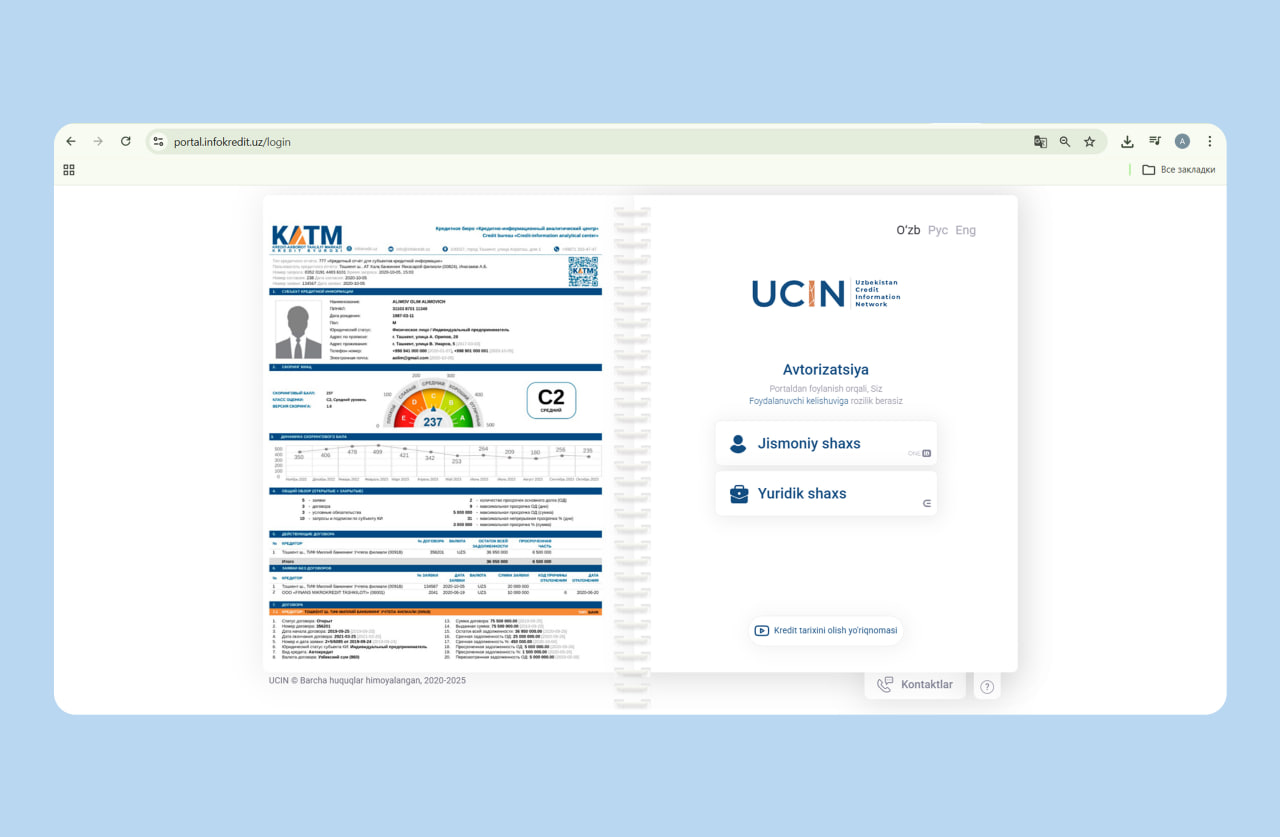
1. Log in to your personal account at portal.infokredit.uz as an individual. Authorization is carried out through the OneID system. If you do not have a OneID account, you can register online using your passport series and number.
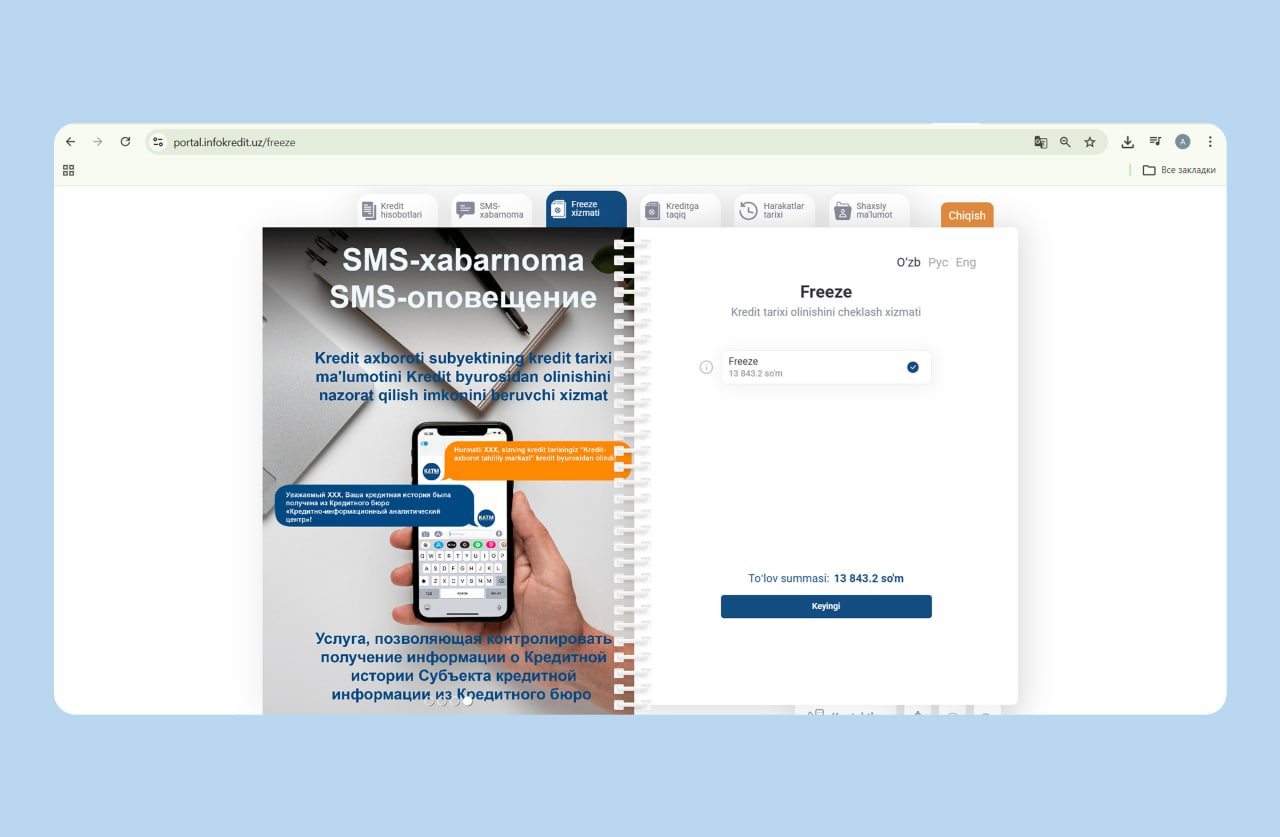
2. After logging in, open the “Freeze service” section. The page displays service details and activation cost.
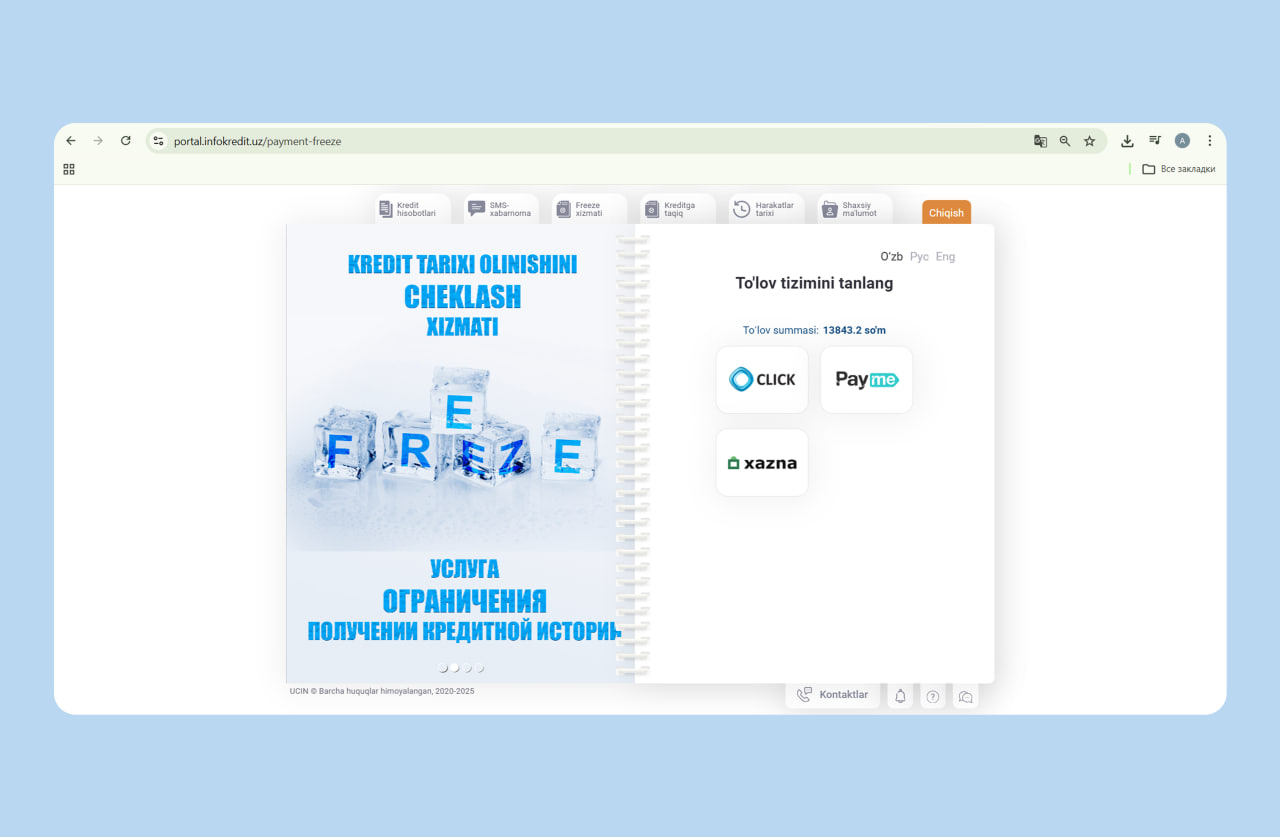
3. Confirm activation and pay the service fee using the available payment methods.
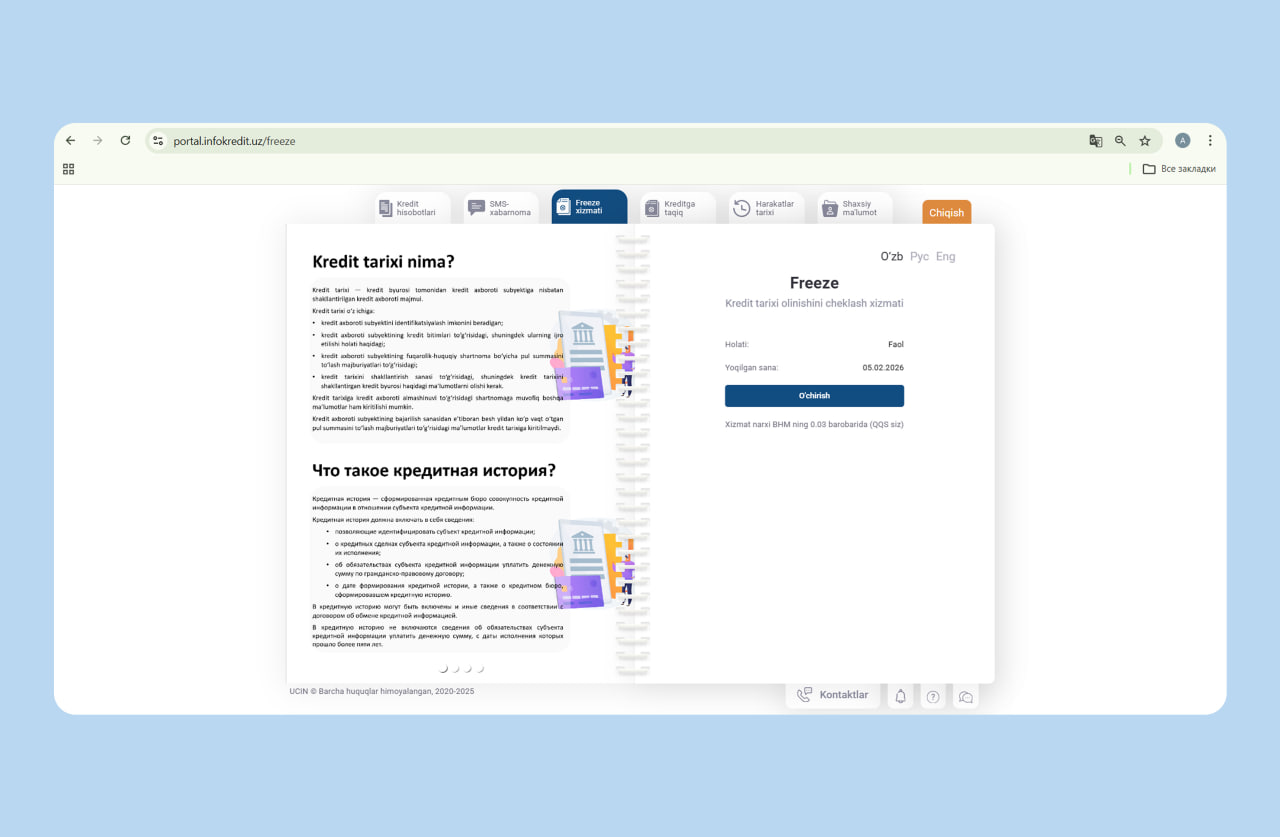
4. After successful payment, the Freeze status becomes active. The activation date and current status are displayed in the personal account. From this moment, credit institutions cannot access your credit history.
If the SMS confirmation code does not arrive, go to the “SMS notifications” section, enter your phone number, and try again.
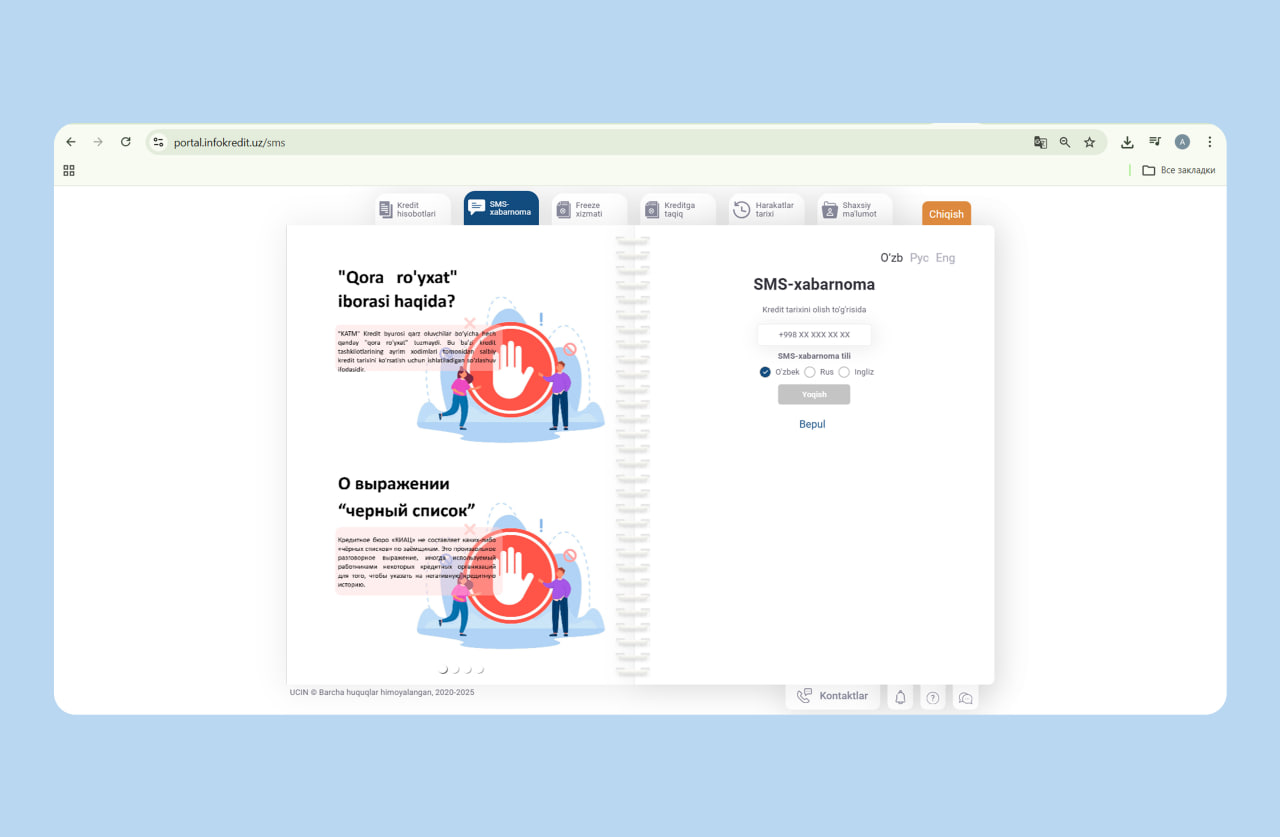
Method 2: Through the my.gov.uz portal
Freeze can also be activated via the web version of my.gov.uz or through the MyGov mobile application.
1. Log in through OneID. Use the search function to find the service related to restricting credit operations.
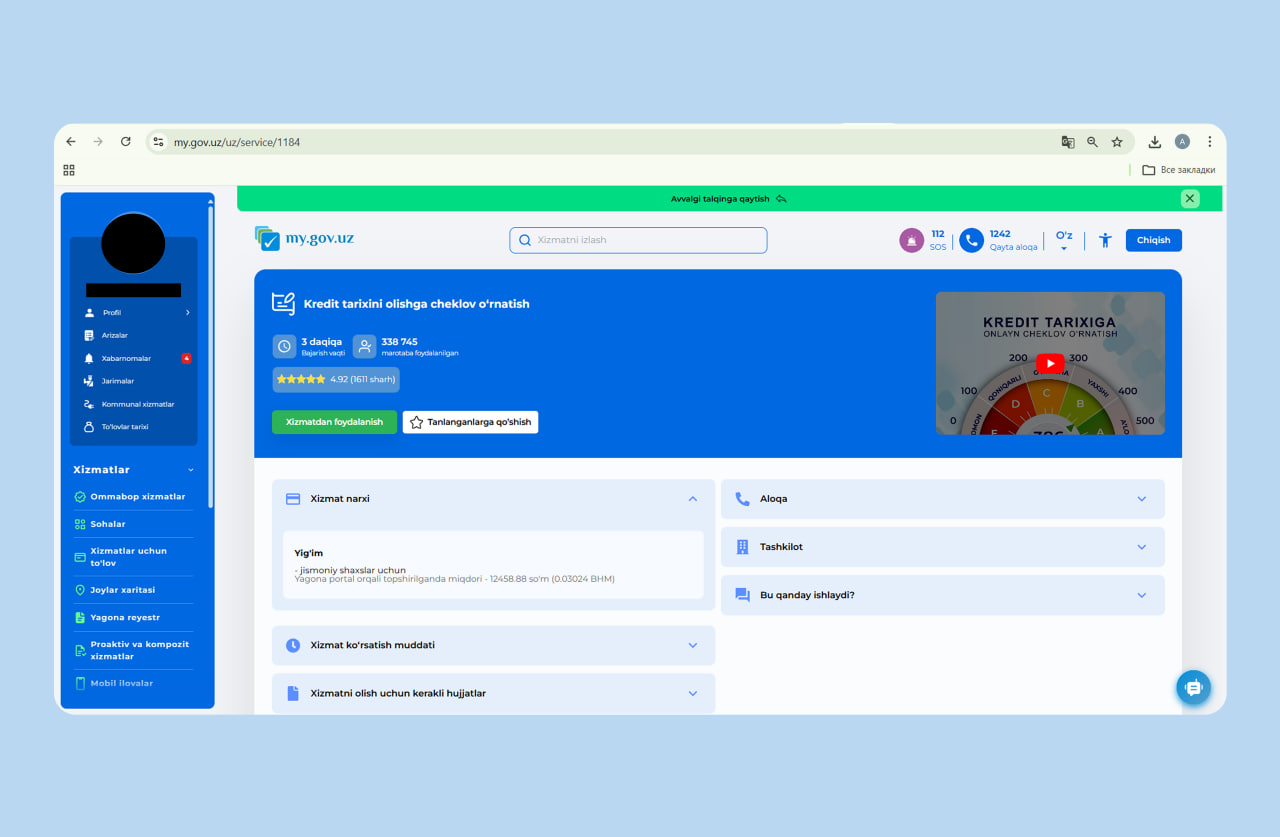
2. Open the service and submit an online application. After processing, the Freeze status is automatically recorded in the system and confirmed electronically.
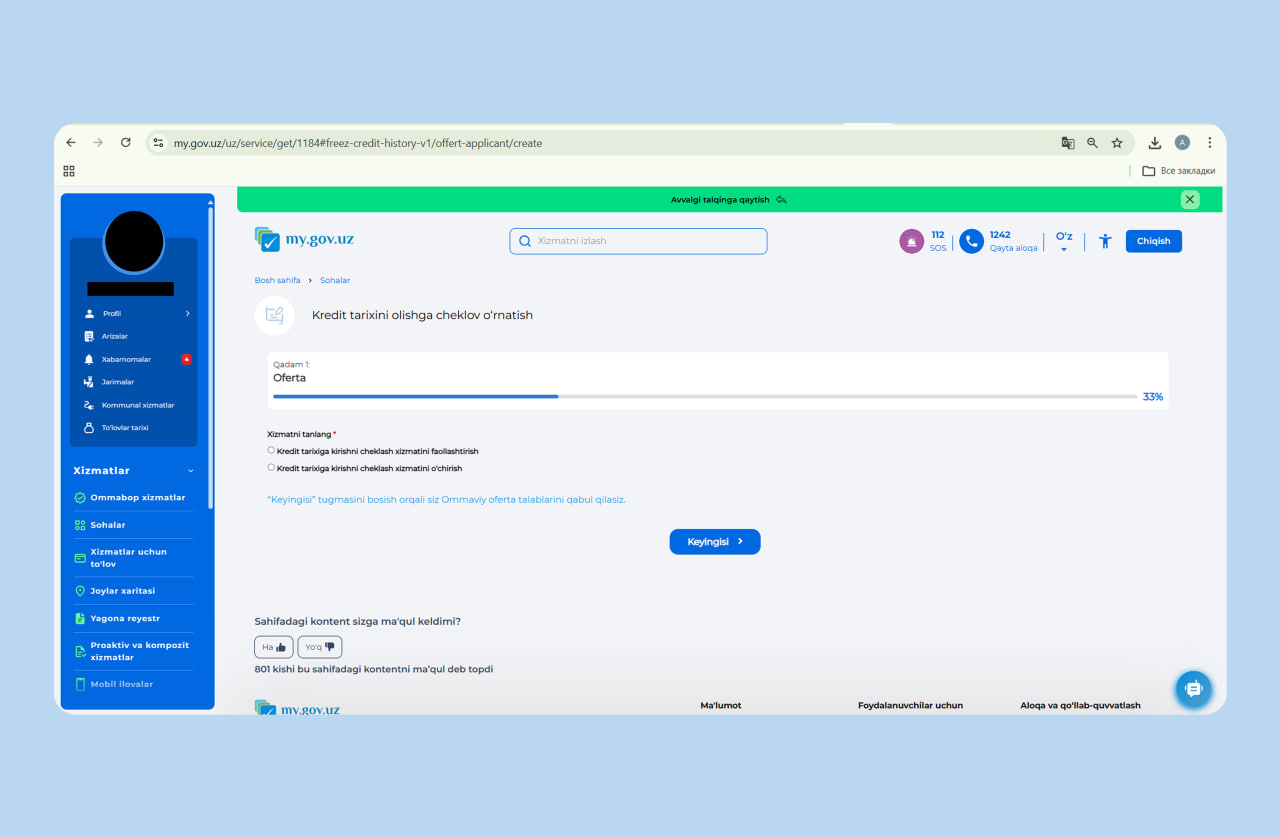
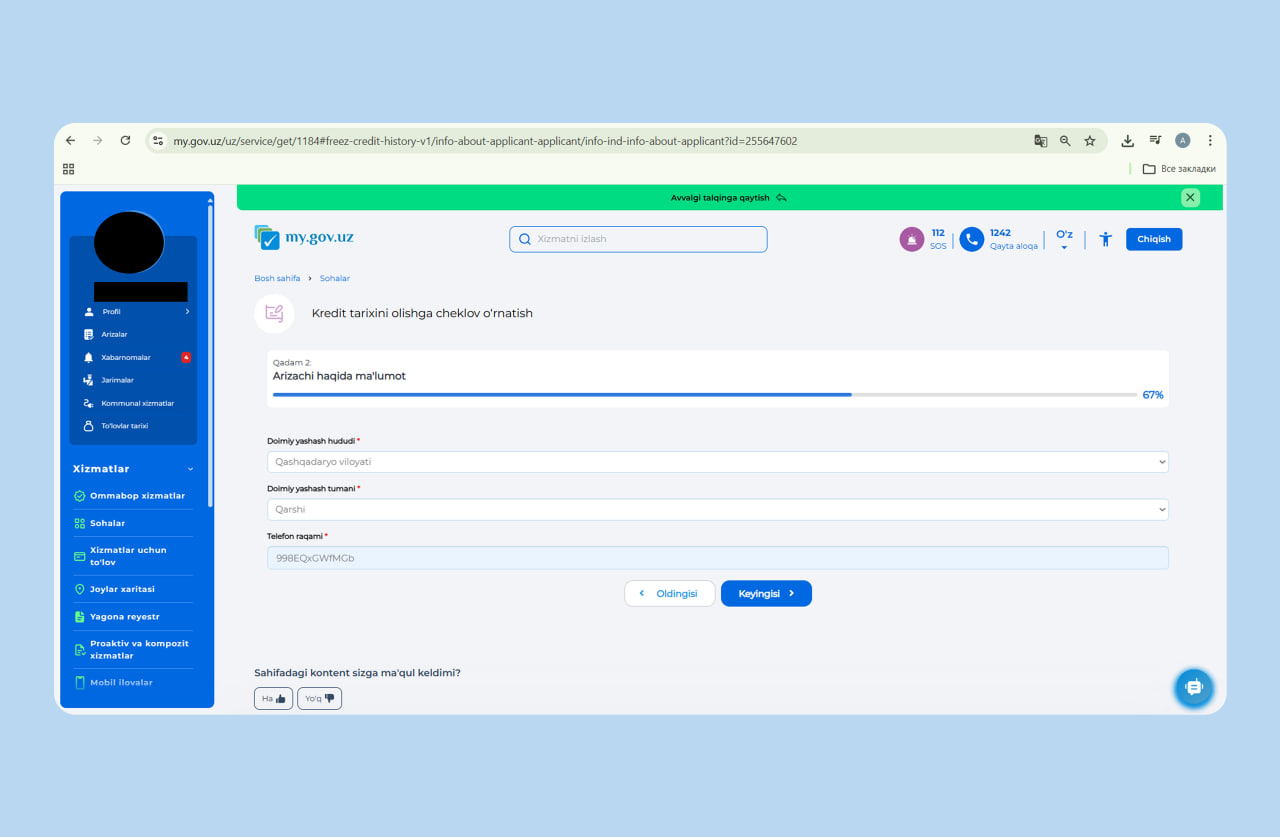
The advantage of this method is that no additional websites are required — all actions are completed within the government services portal.
Method 3: Through a Public Service Center
Freeze can also be activated by visiting any Public Service Center in person. Bring your passport and submit an application to impose the restriction. The application form is provided on-site.
After processing, the restriction is recorded in the credit bureau system and becomes effective upon activation.
This option is suitable for individuals who prefer in-person service or do not use online platforms.
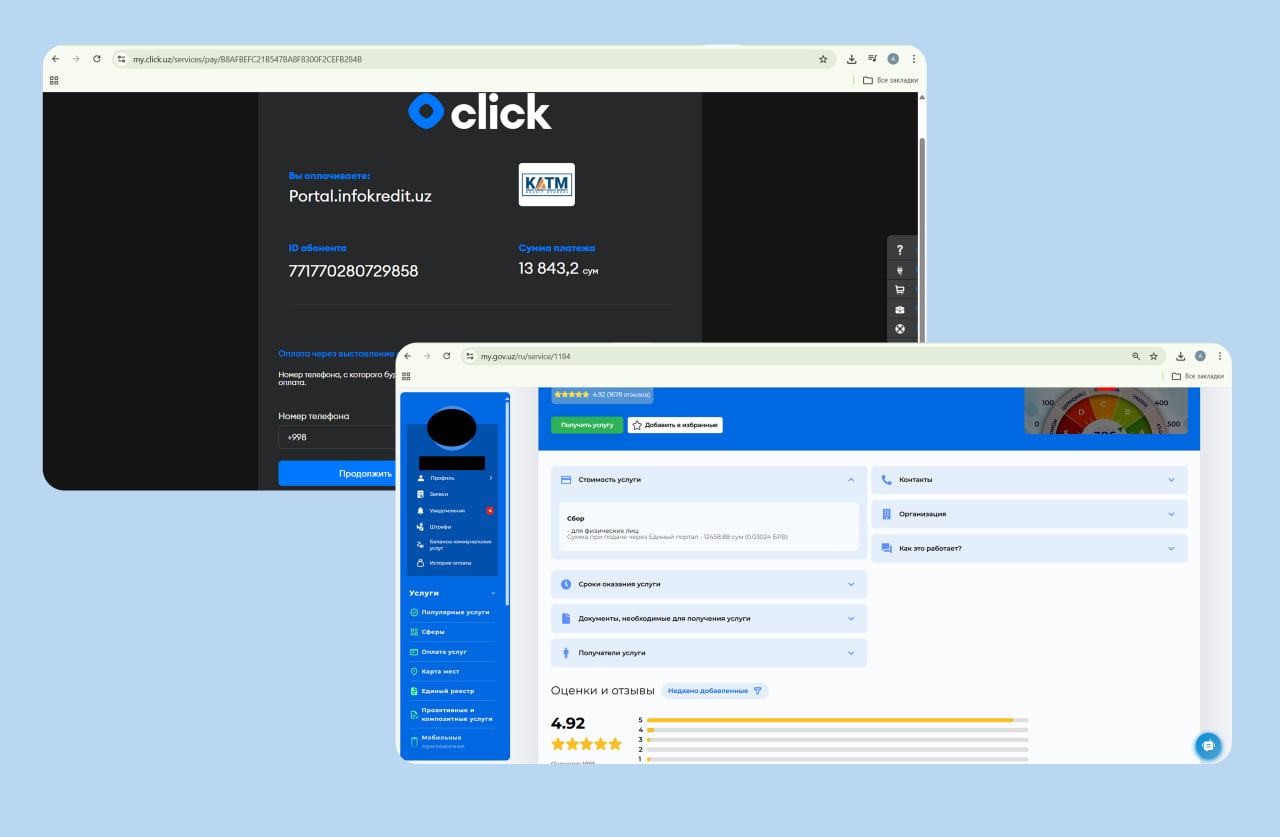
The service fee depends on the platform used:
- via my.gov.uz — 12,458.88 UZS (0.03024 BCV)
- via Infokredit — 13,843.2 UZS
How to deactivate Freeze
Freeze can be deactivated at the user’s request — online or in person.
Via Infokredit
In the “Freeze service” section, the current status is displayed.
Click “Deactivate” and confirm the action. The service status will change to inactive, and credit institutions will regain access to your credit history.
Changes take effect after the credit bureau system updates the data.
Via my.gov.uz
Search for the service “Restriction on access to credit history.” Select the option to remove the restriction, complete the electronic form, and submit the application. After processing, the system automatically records the deactivation.
How Freeze differs from a self-ban on credit agreements
Freeze and a self-ban on signing credit agreements are different mechanisms.
Freeze restricts access to your credit history. When active, lenders cannot obtain your credit report, which makes issuing a loan impossible. Freeze is a paid service.
Self-ban on credit agreements directly prohibits lenders from signing a loan agreement with the individual. In this case, lenders can still view the credit history but cannot conclude a credit contract. This mechanism is free of charge.
More details about self-banning credit agreements can be found at the linked article.

Related News
12:34 / 13.07.2026
Over 2.57 million people in Uzbekistan opt to block loans in their name
11:55 / 22.06.2026
Central Bank: Public reliance on formal salaries remains high in Uzbekistan
15:16 / 14.04.2026
Over 2.2 million people in Uzbekistan activate voluntary self-ban on loans

14:07 / 04.03.2026